Microsoft's Office for iPad Apps Gain Printing Capabilities
Microsoft's Office for iPad apps, including Word, Excel, and PowerPoint received their first major update today, gaining the printing capabilities that were notably absent when the apps launched back in March. The lack of an ability to print documents directly from the apps was a major complaint in initial reviews of the mobile productivity suite.
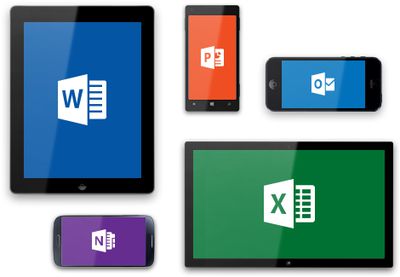
According to an official blog post, all three apps will gain the ability to print over-the-air to an AirPrint-compatible printer.
Your top request is here! You can now print Word documents, Excel spreadsheets, and PowerPoint presentations to an AirPrintTM printer. In Word for iPad, you can choose to print a document with or without markup. In Excel, print a selected range, a single worksheet or an entire spreadsheet. Of course, you can select the pages or slides you want to print.
Along with printing capabilities, the apps have gained a few other highly-requested features, including SmartGuides for PowerPoint and AutoFit for Excel. While SmartGuides help PowerPoint users align pictures, shapes, and textboxes on a slide page, AutoFit will let Excel users adjust the width and height of multiple rows and columns at once.
Each update also includes a number of bug fixes, along with a note from Microsoft outlining its commitment to continually improving its Office for iPad apps. "We're already working on the next update," reads the post.
All of the updates are currently available and can be downloaded from the App Store for free, but editing and creating documents requires an Office 365 subscription. Microsoft OneNote has also been updated with bug fixes.
- Microsoft Word for iPad [Direct Link]
- Microsoft Excel for iPad [Direct Link]
- Microsoft PowerPoint for iPad [Direct Link]
- Microsoft OneNote for iPad [Direct Link]
Popular Stories
Bloomberg's Mark Gurman has high expectations for Apple's first foldable iPhone.
In his Power On newsletter today, he said the foldable iPhone will be "the most significant overhaul in the iPhone's history."
"iPhone 4, iPhone 6 and iPhone X were clearly a big deal, but this is a whole new design," he said.
Like Samsung's Galaxy Z Fold 7, the foldable iPhone will reportedly open up like ...
iOS 26.5 is now available for developers, and while it doesn't include any new Siri capabilities, there are some major changes for the European Union, and smaller tweaks for features available worldwide.
Suggested Places
In the Maps app, there's a new "Suggested Places" feature that recommends locations to visit based on trending places nearby and recent searches. When Apple launches ads in ...
Apple has been celebrating its upcoming 50th anniversary by hosting surprise performances and other events around the world over the past few weeks, and now Bloomberg's Mark Gurman has revealed details about the company's grand finale.
In a social media post, Gurman said Apple's celebrations will conclude this week with a finale at its Apple Park headquarters for employees.
A special...
Popular Stories
Bloomberg's Mark Gurman has high expectations for Apple's first foldable iPhone.
In his Power On newsletter today, he said the foldable iPhone will be "the most significant overhaul in the iPhone's history."
"iPhone 4, iPhone 6 and iPhone X were clearly a big deal, but this is a whole new design," he said.
Like Samsung's Galaxy Z Fold 7, the foldable iPhone will reportedly open up like ...
iOS 26.5 is now available for developers, and while it doesn't include any new Siri capabilities, there are some major changes for the European Union, and smaller tweaks for features available worldwide.
Suggested Places
In the Maps app, there's a new "Suggested Places" feature that recommends locations to visit based on trending places nearby and recent searches. When Apple launches ads in ...
Apple has been celebrating its upcoming 50th anniversary by hosting surprise performances and other events around the world over the past few weeks, and now Bloomberg's Mark Gurman has revealed details about the company's grand finale.
In a social media post, Gurman said Apple's celebrations will conclude this week with a finale at its Apple Park headquarters for employees.
A special...