OS X Spotlight Glitch Exposes IP Addresses and Other System Details to Spammers
A privacy glitch in Spotlight search for OS X may leak private details, including IP addresses, to email spammers. The flaw was first reported by German tech news site Heise and replicated in tests performed by IDG News Service.
The issue affects OS X mail users who have followed conventional security recommendations to turn off the "load remote content in messages" option in the Mail app. This setting prevents the loading of remote content such as images, including "tracking pixels" that are used by spammers to harvest information when people open an email.
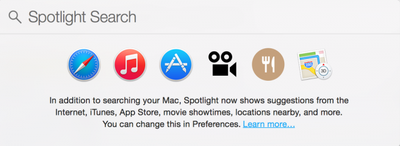
A glitch arises when OS X Mail users utilize Spotlight search in OS X, which includes emails in the search results. Spotlight ignores the remote content block preference from Mail and loads the remote email files as part of the search process. Once Spotlight loads one of these tracking pixels, spammers can glean details such as the IP address, OS X version, browser details, and the version of Quick Look being used.
The Spotlight preview loads those files even when users have switched off the "load remote content in messages" option in the Mail app, a feature often disabled to prevent email senders from knowing if an email has arrived and if it has been opened. What's more, Spotlight also loads those files when it shows previews of unopened emails that landed directly in the junk folder.
Currently, the only way to block this information leak is to block Spotlight from including emails in search results entirely by opening System Preferences and unchecking the "Mail & Messages" option for Spotlight. Apple has yet to comment on this Spotlight privacy glitch.
Popular Stories
Bloomberg's Mark Gurman has high expectations for Apple's first foldable iPhone.
In his Power On newsletter today, he said the foldable iPhone will be "the most significant overhaul in the iPhone's history."
"iPhone 4, iPhone 6 and iPhone X were clearly a big deal, but this is a whole new design," he said.
Like Samsung's Galaxy Z Fold 7, the foldable iPhone will reportedly open up like ...
iOS 26.5 is now available for developers, and while it doesn't include any new Siri capabilities, there are some major changes for the European Union, and smaller tweaks for features available worldwide.
Suggested Places
In the Maps app, there's a new "Suggested Places" feature that recommends locations to visit based on trending places nearby and recent searches. When Apple launches ads in ...
Apple has been celebrating its upcoming 50th anniversary by hosting surprise performances and other events around the world over the past few weeks, and now Bloomberg's Mark Gurman has revealed details about the company's grand finale.
In a social media post, Gurman said Apple's celebrations will conclude this week with a finale at its Apple Park headquarters for employees.
A special...
Popular Stories
Bloomberg's Mark Gurman has high expectations for Apple's first foldable iPhone.
In his Power On newsletter today, he said the foldable iPhone will be "the most significant overhaul in the iPhone's history."
"iPhone 4, iPhone 6 and iPhone X were clearly a big deal, but this is a whole new design," he said.
Like Samsung's Galaxy Z Fold 7, the foldable iPhone will reportedly open up like ...
iOS 26.5 is now available for developers, and while it doesn't include any new Siri capabilities, there are some major changes for the European Union, and smaller tweaks for features available worldwide.
Suggested Places
In the Maps app, there's a new "Suggested Places" feature that recommends locations to visit based on trending places nearby and recent searches. When Apple launches ads in ...
Apple has been celebrating its upcoming 50th anniversary by hosting surprise performances and other events around the world over the past few weeks, and now Bloomberg's Mark Gurman has revealed details about the company's grand finale.
In a social media post, Gurman said Apple's celebrations will conclude this week with a finale at its Apple Park headquarters for employees.
A special...

























