Apple may be laying the groundwork to allow users to remove or hide stock iOS apps, such as Compass and Tips, from their iPhones in an upcoming version of its mobile software, based on recently added metadata keys showing up on App Store apps.
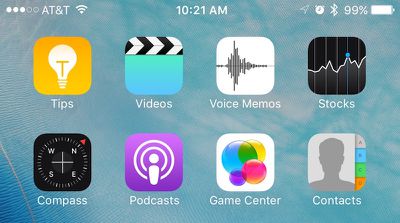
As discovered by AppAdvice, Apple several weeks ago added a new pair of keys called "isFirstParty" and "isFirstPartyHideableApp" to the metadata of every App Store listing in iTunes. The new keys allow for a Boolean value of "true" or "false" to denote whether the app would be allowed to be hidden or removed from the user's iPhone. It's unclear whether the metadata is referring to an Apple-approved way to simply hide the first-party apps, or remove them altogether.
Last September, Apple CEO Tim Cook spoke about the long-standing desire by users to remove apps like Stocks and Voice Memos from their iPhones to reduce clutter of unused apps. He admitted the company was at a bit of an impasse over the situation, because while some of its first-party experiences could be removed without much of a headache, certain apps "are linked to something else on the iPhone." Their removal could begin a domino effect of bugs and issues elsewhere in iOS, so implementing a feature allowing their removal would be understandably risky.

The hints found in the metadata of iTunes could be the potential solution, with Apple specifically targeting first-party apps that are safe to hide or remove, and letting users decide on their end if they choose to do so. With no official word from Apple on the topic since last year, it's hard to say when -- or if -- we will see such a feature implemented into iOS, although iOS 10 coming later this year is an obvious opportunity.
Users looking to minimize clutter from less popular stock apps such as Tips and Compass, and even newer editions like Health and News in some cases, frequently sequester their least favorite apps into a forgotten folder somewhere on their home screens, but some have even gotten crafty in figuring out ways to go one step further in removing unsightly crammed folders from their home screens, without needing to resort to jailbreaking their devices.