Apple Releases iOS 10.1 With New Portrait Mode for iPhone 7 Plus [Updated]

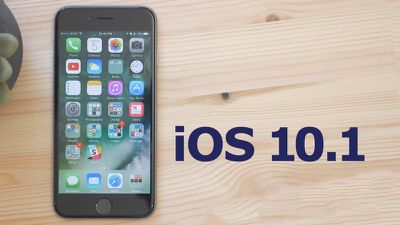
Apple today released iOS 10.1 to the public, marking the first major update to the iOS 10 operating system that launched on September 13. In testing since September 21, iOS 10.1 saw Apple release five betas to developers and public beta testers before its public debut.

Today's iOS 10.1 update is available as a free over-the-air update for all iOS 10 users. It is the third update to iOS 10, following iOS 10.0.3, a minor bug fix update.
ios10-1part2
iOS 10.1 introduces a new "Portrait" mode, designed to take advantage of the two cameras included in the iPhone 7 Plus, released in September. Portrait mode uses the wide-angle and telephoto lenses in the iPhone 7 Plus to create shallow depth of field portrait photos with blurred backgrounds.

To achieve the blurred look, the image signal processor in the device uses the wide-angle camera to create a depth map while the telephoto captures an image, dissecting the different layers of the photo to decide what to blur with an artful "bokeh" effect. It works on people, pets, and objects, but it does require good lighting to achieve the proper results.


The update also offers a long list of bug fixes and other under-the-hood improvements to address many problems that have been uncovered since iOS 10 was released, and it also brings Transit directions to Japan for the first time.

There have been some tweaks to the Messages app. It's now possible to play Bubble and Screen effects in Messages with Reduce Motion enabled, something that wasn't previously possible. There's also a new option to replay Bubble and Screen effects. A full list of changes is available below:

Camera and Photos
- Introduces Portrait Camera for iPhone 7 Plus that creates a depth effect that keeps your subject sharp while creating a beautifully blurred background (beta)
- People names in the Photos app are saved in iCloud backups
- Improved the display of wide color gamut photos in the grid views of the Photos app
- Fixes an issue where opening the Camera app would show a blurred or flashing screen for some users
- Fixes an issue that caused Photos to quit for some users when turning on iCloud Photo Library

Maps
- Transit support for every major train, subway, ferry, and national bus line, as well as local bus systems for Tokyo, Osaka, and Nagoya
- Sign-based transit navigation including layouts of all underground structures and walkways that connect large transit stations
- Transit fare comparison when viewing alternative transit routes

Messages
- New option to replay bubble and full screen effects
- Messages effects can play with Reduce Motion enabled
- Fixes an issue that could lead to contact names appearing incorrectly in Messages
- Addresses an issue where Messages could open to a white screen
- Addresses an issue that could prevent the report junk option from displaying with unknown senders
- Fixes an issue where videos captured and sent in the Messages app could be missing audio

Apple Watch
- Adds distance and average pace to workout summaries in the Activity app for outdoor wheelchair run pace and outdoor wheelchair walk pace
- Fixes issues that may have prevented Music playlists from syncing to Apple Watch
- Addresses an issue that was preventing invitations and data to appear in Activity Sharing
- Fixes an issue that was allowing Activity Sharing to update over cellular when manually disabled
- Resolves an issue that was causing some third-party apps to crash when inputting text

Other improvements and fixes
- Improves Bluetooth connectivity with 3rd party accessories
- Improves AirPlay Mirroring performance when waking a device from sleep
- Fixes an issue where playback would not work for iTunes purchased content when the "Show iTunes Purchases" setting is turned off
- Fixes an issue where certain selfie apps and face filters used with the FaceTime HD camera on iPhone 7 and iPhone 7 Plus did not display a live preview
- Fixes an issue in Health where individual strokes are converted to separate characters when using the Chinese handwriting keyboard
- Improves performance of sharing websites from Safari to Messages
- Fixes an issue in Safari that caused web previews in tab view to not display correctly
- Fixes an issue that caused certain Mail messages to be reformatted with very small text
- Fixes an issue that caused some HTML email to be formatted incorrectly
- Fixes an issue that in some cases caused the search field to disappear in Mail
- Fixes an issue that could prevent Today View Widgets from updating when launched
- Fixes an issue where Weather widget sometimes failed to load data
- Fixes an issue on iPhone 7 where Home Button click settings would not appear in search results
- Fixes an issue that prevented spam alert extensions from blocking calls
- Resolves an issue that could prevent alarm sounds from going off
- Fixes an issue where audio playback via Bluetooth would cause the Taptic engine to stop providing feedback for some users
- Resolves an issue preventing some users from restoring from iCloud Backup

iOS 10 has been described by Apple as the "biggest release ever" for iOS users, with features that include a redesigned Lock screen, a Siri SDK to allow third-party apps to integrate with Siri, and a completely overhauled Messages app with stickers, a full App Store, Digital Touch, Bubble Effects, and more.

Update: Today's update also fixes pairing issues some Android Wear users were having with the iPhone 7 and 7 Plus.


Related Forum: iOS 10

Popular Stories

Apple Wallet ID Illinois

Apple Plans to Expand iPhone Driver's Licenses to These 7 U.S. States

Wednesday December 24, 2025 8:40 am PST by
In select U.S. states, residents can add their driver's license or state ID to the Apple Wallet app on the iPhone and Apple Watch, and then use it to display proof of identity or age at select airports and businesses, and in select apps. The feature is currently available in 13 U.S. states and Puerto Rico, and it is expected to launch in at least seven more in the future. To set up the...
iPhone Top Left Hole Punch Face ID Feature Purple

iPhone 18 Pro Launching Next Year With These 12 New Features

Tuesday December 23, 2025 8:36 am PST by
While the iPhone 18 Pro and iPhone 18 Pro Max are not expected to launch for another nine months, there are already plenty of rumors about the devices. Below, we have recapped 12 features rumored for the iPhone 18 Pro models. The same overall design is expected, with 6.3-inch and 6.9-inch display sizes, and a "plateau" housing three rear cameras Under-screen Face ID Front camera in...
maxresdefault

Where's the New Apple TV?

Monday December 22, 2025 11:30 am PST by
Apple hasn't updated the Apple TV 4K since 2022, and 2025 was supposed to be the year that we got a refresh. There were rumors suggesting Apple would release the new Apple TV before the end of 2025, but it looks like that's not going to happen now. Subscribe to the MacRumors YouTube channel for more videos. Bloomberg's Mark Gurman said several times across 2024 and 2025 that Apple would...
iOS 26

iOS 26.2 Adds These 8 New Features to Your iPhone

Monday December 22, 2025 8:47 am PST by
Earlier this month, Apple released iOS 26.2, following more than a month of beta testing. It is a big update, with many new features and changes for iPhones. iOS 26.2 adds a Liquid Glass slider for the Lock Screen's clock, offline lyrics in Apple Music, and more. Below, we have highlighted a total of eight new features. Liquid Glass Slider on Lock Screen A new slider in the Lock...
maxresdefault

10 Mac Apps Worth Trying in 2026

Wednesday December 24, 2025 9:27 am PST by
2026 is almost upon us, and a new year is a good time to try out some new apps. We've rounded up 10 excellent Mac apps that are worth checking out. Subscribe to the MacRumors YouTube channel for more videos. Alt-Tab (Free) - Alt-Tab brings a Windows-style alt + tab thumbnail preview option to the Mac. You can see a full window preview of open apps and app windows. One Thing (Free) -...
Foldable iPhone 2023 Feature Iridescent Search

Samsung Developing 'Wide Fold' With iPhone Fold-Like Design Ahead of Apple's 2026 Launch

Tuesday December 23, 2025 11:55 am PST by
Samsung is working on a new foldable smartphone that's wider and shorter than the models that it's released before, according to Korean news site ETNews. The "Wide Fold" will compete with Apple's iPhone Fold that's set to launch in September 2026. Samsung's existing Galaxy Z Fold7 display is 6.5 inches when closed, and 8 inches when open, with a 21:9 aspect ratio when folded and a 20:18...
iOS 26

iOS 26.3 Brings AirPods-Like Pairing to Third-Party Devices in EU Under DMA

Monday December 22, 2025 3:20 pm PST by
The European Commission today praised the interoperability changes that Apple is introducing in iOS 26.3, once again crediting the Digital Markets Act (DMA) with bringing "new opportunities" to European users and developers. The Digital Markets Act requires Apple to provide third-party accessories with the same capabilities and access to device features that Apple's own products get. In iOS...
iPhone Fold Vertical Feature

Why Apple's Foldable iPhone May Be Smaller Than Expected

Tuesday December 23, 2025 5:21 am PST by
Apple's first foldable iPhone, rumored for release next year, may turn out to be smaller than most people imagine, if a recent report is anything to go by. According to The Information, the outer display on the book-style device will measure just 5.3 inches – that's smaller than the 5.4-inch screen on the ‌iPhone‌ mini, a line Apple discontinued in 2022 due to poor sales. The report has led ...
iphone fold 3d print

Have a 3D Printer? You Can Make Your Own iPhone Fold Dummy

Tuesday December 23, 2025 1:31 pm PST by
Apple is working on a foldable iPhone that's set to come out in September 2026, and rumors suggest that it will have a display that's around 5.4 inches when closed and 7.6 inches when open. Exact measurements vary based on rumors, but one 3D designer has created a mockup based on what we've heard so far. On MakerWorld, a user named Subsy has uploaded a 1:1 iPhone Fold replica (via Macworld), ...

Top Rated Comments

macsplusmacs Avatar
120 months ago
Yah..... I'm waiting a couple of hours...

If you know what I mean....

Cough.
Score: 25 Votes (Like | Disagree)
cableguy84 Avatar
120 months ago
So pleased with this update, updated 10 minutes ago, my battery has lasted 2 full days on one charge
Score: 17 Votes (Like | Disagree)
Awjvail Avatar
120 months ago
Why would the 7+ get portrait mode but not 6S+? What is the difference between these two phones that makes portrait mode work ONLY in 7+ and not 6S+? Apple sucks.
Did you ever stop and think maybe the fact that the Portrait Mode requires two cameras shooting simultaneously might be the reason?
Score: 15 Votes (Like | Disagree)
Moorepheus Avatar
120 months ago
Ok, updating now, I know, I didn't learn my lesson when 10 first came out and I tried to upgrade my 6s+. Anyway, first apple Logo has popped up. Anyway, what I don't get, is why are people so lazy to read what is in the update. Half the posts here are asking if a bug was fixed, music star rating fixed, etc. Why don't you read the release notes, it tells you everything. Why should anyone have to repost it, when it's on your phone and even in the OP. Anyway, done ranting about the lazy people. But for those who were too lazy not to read the OP, here is the list again, my guess, is you will still be too lazy to read everything

Camera and Photos
- Introduces Portrait Camera for iPhone 7 Plus that creates a depth effect that keeps your subject sharp while creating a beautifully blurred background (beta)
- People names in the Photos app are saved in iCloud ('https://www.macrumors.com/roundup/icloud/') backups
- Improved the display of wide color gamut photos in the grid views of the Photos app
- Fixes an issue where opening the Camera app would show a blurred or flashing screen for some users
- Fixes an issue that caused Photos to quit for some users when turning on iCloud Photo Library ('https://www.macrumors.com/roundup/icloud-photo-library/')

Maps
- Transit support for every major train, subway, ferry, and national bus line, as well as local bus systems for Tokyo, Osaka, and Nagoya
- Sign-based transit navigation including layouts of all underground structures and walkways that connect large transit stations
- Transit fare comparison when viewing alternative transit routes

Messages
- New option to replay bubble and full screen effects
- Messages effects can play with Reduce Motion enabled
- Fixes an issue that could lead to contact names appearing incorrectly in Messages
- Addresses an issue where Messages could open to a white screen
- Addresses an issue that could prevent the report junk option from displaying with unknown senders
- Fixes an issue where videos captured and sent in the Messages app could be missing audio

Apple Watch
- Adds distance and average pace to workout summaries in the Activity app for outdoor wheelchair run pace and outdoor wheelchair walk pace
- Fixes issues that may have prevented Music playlists from syncing to Apple Watch
- Addresses an issue that was preventing invitations and data to appear in Activity Sharing
- Fixes an issue that was allowing Activity Sharing to update over cellular when manually disabled
- Resolves an issue that was causing some third-party apps to crash when inputting text

Other improvements and fixes
- Improves Bluetooth connectivity with 3rd party accessories
- Improves AirPlay ('https://www.macrumors.com/roundup/airplay/') Mirroring performance when waking a device from sleep
- Fixes an issue where playback would not work for iTunes purchased content when the "Show iTunes Purchases" setting is turned off
- Fixes an issue where certain selfie apps and face filters used with the FaceTime HD camera on iPhone 7 and iPhone 7 Plus did not display a live preview
- Fixes an issue in Health where individual strokes are converted to separate characters when using the Chinese handwriting keyboard
- Improves performance of sharing websites from Safari to Messages
- Fixes an issue in Safari that caused web previews in tab view to not display correctly
- Fixes an issue that caused certain Mail messages to be reformatted with very small text
- Fixes an issue that caused some HTML email to be formatted incorrectly
- Fixes an issue that in some cases caused the search field to disappear in Mail
- Fixes an issue that could prevent Today View Widgets from updating when launched
- Fixes an issue where Weather widget sometimes failed to load data
- Fixes an issue on iPhone 7 where Home Button click settings would not appear in search results
- Fixes an issue that prevented spam alert extensions from blocking calls
- Resolves an issue that could prevent alarm sounds from going off
- Fixes an issue where audio playback via Bluetooth would cause the Taptic engine to stop providing feedback for some users
- Resolves an issue preventing some users from restoring from iCloud Backup
Score: 14 Votes (Like | Disagree)
Eazy502E Avatar
120 months ago
Still no Mark as Unread / Flag marker in Messages. Please tell me I'm not the only one who needs a visual reminder to respond to text messages I read and then cleared the notification for?
Score: 9 Votes (Like | Disagree)
JCrz Avatar
120 months ago
Why would the 7+ get portrait mode but not 6S+? What is the difference between these two phones that makes portrait mode work ONLY in 7+ and not 6S+? Apple sucks.
Agreed—because this software update should have added a second camera and an extra GB of RAM to older models.
Score: 9 Votes (Like | Disagree)