Most iPhone X owners have had barely 48 hours to get to grips with Apple's new home bar-based user interface which does away with traditional home button functions, but the general consensus is that it becomes extremely intuitive to use after just a few hours. In this article, we've gathered some neat tips and gestural tricks for using iOS 11 on iPhone X that you may not have come across.
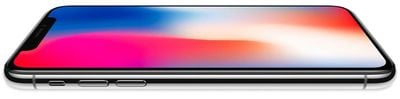
iphonexretinadisplay
Some of the tips listed below offer an alternative one-handed approach to gestures that typically require two hands, while others simply demonstrate a quicker way of interfacing with your iPhone X that Apple hasn't made explicit in its support literature. Hopefully at least one of them will be new to you and will help you get more out of your new smartphone.

Faster App Switcher Access

Apple's Guided Tour of the new iPhone X interface would have you believe that to access the App Switcher you must swipe upwards from the middle of the home bar and then pause for a moment, before swiping along to see your open apps.

Actually there's another, faster method you can try: simply swipe up from the home bar at a 45-degree angle towards the right of the screen and then let go, and the app switcher should move straight into view almost immediately. Granted, it's a tiny adjustment to the official way of doing things, but you'll probably find it a little speedier and more intuitive.


Quit Apps Quicker

At first sight, quitting apps from within the App Switcher seems to require two fingers: one to tap-hold the app, and another to tap the app card's minus button which the first action elicits. Thankfully though, the whole process can be performed with one hand by tap-holding and swiping up on the app as soon as the minus button appears.


Reach for Control Center

Accessing the Control Center on iPhone X is completely different to how it's done on older iPhones running iOS 11. Instead of swiping up from the bottom of the screen, users must swipe down from the top-right "ear", which requires another hand. The change is a curious one, given that Apple considered locating the Control Center at the right of the App Switcher, which looks more intuitive during one-handed use. Apple could always introduce this implementation as an option in a later version of iOS 11, but until then, Reachability is your friend.


To enable the setting in iOS 11.1, go to Settings -> General -> Accessibility, and turn on Reachability. Now simply swipe down from the gestural home bar to bring the top of the interface halfway down the screen, and you should be able to swipe from the top-right with your thumb to bring down Control Center.

This method can also be used as a quick way to check your battery percentage, or to see if your VPN is connected – just a small drag from the top-right reveals the information, without you having to invoke the Control Center wholesale.

Return to Last App

Swiping the home bar to switch between apps is a smart gesture that most iPhone X owners will have already grasped. But did you know that you can perform the same swipe action from the home screen to return to the last-used app? Simply drag your thumb right across the bottom of the dock, where the home bar usually appears.


Exit App Wiggle Mode

Holding an app on the home screen makes all apps wiggle, indicating that you can now re-locate or delete them individually. With no home button to turn "wiggle mode" off, Apple added a "Done" button to the top-right on the screen. But you don't have to raise your other hand to tap it and exit wiggle mode – just swipe up from the bottom of the dock instead.


Instant Siri Search

This last one is less a new gesture, and more a combination of two, the latter of which has existed since iOS 9. Whenever you're in an app and want to do a quick search, swipe up from the home bar, release for a split second, then immediately swipe down again from the middle of the screen. (Note: this action won't work if the app you're using is located in a folder.)

This is a particularly useful swipe combo given that in iOS 11 you can now search both your iPhone and the web, with Siri offering autocomplete options similar to how it does when you perform a search in Safari. Finally, to exit the Siri Search window and return to the app you were just using, simply swipe right across the bottom of the screen.


For a screen recording of every video above in action, click here. Know of any more neat UI tricks for iPhone X? Let us know in the comments below.


Related Forum: iPhone

Top Rated Comments

sniffies Avatar
106 months ago
Here's a graphic I created showing App Switcher access in a much much faster and more intuitive and 100% consistent way. Shhh, even Craig doesn't know about it ;)

And remember:

1. No pausing
2. No L-shaped gesture
3. No r-shaped gesture
4. No whatever-shaped gesture
5. No gesture at weird angles

Simply up! Boom and you're done!


My App Switcher graphic demonstrated in video

Both hands:


One hand:


More lesser-known gestures in this thread ('https://forums.macrumors.com/threads/a-collection-of-useful-and-lesser-known-gestures-for-iphone-x-guaranteed-to-make-your-life-easier.2084829')
Score: 18 Votes (Like | Disagree)
Cpsadowski Avatar
106 months ago
These videos would of been a lot more useful, had they included fingers showing the swipes instead of plain videos.
Score: 13 Votes (Like | Disagree)
jacobh101 Avatar
106 months ago
love my iPhone X
Score: 8 Votes (Like | Disagree)
Rocketman Avatar
106 months ago
What's interesting to me about the iPhone ecosystem is it has large sociological impact. A computer in your hand and all that. But lesser considered is the changes in daily behaviour in how you interact with the device. When you have millions of people simultaneously changing habitual behaviour and in concert with each other, it gives them a sense of community of a style that has never existed before. Not religion. Not geography. Not politics. Behaviour. Discuss.
Score: 4 Votes (Like | Disagree)
hugo7 Avatar
106 months ago
The control center methods are terrible. I use the CC a lot and it seems :apple: half assed the effort.

Why not use 3D Touch in some way to invoke the CC? Or combine the CC with instant Siri search? Or at least put quick CC info such as battery %, Bluetooth, etc in the app switcher mode. :rolleyes:
Apple is basically in transition on the way to "intuitive" all screen navigation. I really wished that they broke with the current paradigm and introduced something radically new, but I guess, that would be too risky.

The home indicators gestures are a good first step, but "notification centre vs control centre" swipes are just plain awful (especially if they warrant the need for reachability). All of this non-immediate-app access needs better integration. Maybe improvements will come with iOS 12.
Score: 3 Votes (Like | Disagree)
dannys1 Avatar
106 months ago
Return to last app needs to be right at the bottom edge of the phone, quite hard to do with one hand as your thumb needs to ready down and back on itself and you have to swipe it all the way over to the right to get it to invoke or it goes back. I think I prefer going to the app switcher.

To be honest most of the time i've just swiped up and searched for the app, or used the app switcher.

I don't see the point of the red dots in the app switcher - you already have to hold to invoke the app switcher, from there it should work as normal and just let you swipe up to force lose apps. It's pretty hard to accidently invoke it so it's not like you're going to force close an app when you meant to just go home.

Also I hope Apple lets the keyboard go lower to the bottom of the screen once nearly all apps are updated to iPhone X, theres an awful lot of wasted space there catering for it to be the same level as apps that aren't updated.
Score: 3 Votes (Like | Disagree)

Popular Stories

Apple Wallet ID Illinois

Apple Plans to Expand iPhone Driver's Licenses to These 7 U.S. States

Wednesday December 24, 2025 8:40 am PST by
In select U.S. states, residents can add their driver's license or state ID to the Apple Wallet app on the iPhone and Apple Watch, and then use it to display proof of identity or age at select airports and businesses, and in select apps. The feature is currently available in 13 U.S. states and Puerto Rico, and it is expected to launch in at least seven more in the future. To set up the...
iPhone Top Left Hole Punch Face ID Feature Purple

iPhone 18 Pro Launching Next Year With These 12 New Features

Tuesday December 23, 2025 8:36 am PST by
While the iPhone 18 Pro and iPhone 18 Pro Max are not expected to launch for another nine months, there are already plenty of rumors about the devices. Below, we have recapped 12 features rumored for the iPhone 18 Pro models. The same overall design is expected, with 6.3-inch and 6.9-inch display sizes, and a "plateau" housing three rear cameras Under-screen Face ID Front camera in...
maxresdefault

Where's the New Apple TV?

Monday December 22, 2025 11:30 am PST by
Apple hasn't updated the Apple TV 4K since 2022, and 2025 was supposed to be the year that we got a refresh. There were rumors suggesting Apple would release the new Apple TV before the end of 2025, but it looks like that's not going to happen now. Subscribe to the MacRumors YouTube channel for more videos. Bloomberg's Mark Gurman said several times across 2024 and 2025 that Apple would...
maxresdefault

10 Mac Apps Worth Trying in 2026

Wednesday December 24, 2025 9:27 am PST by
2026 is almost upon us, and a new year is a good time to try out some new apps. We've rounded up 10 excellent Mac apps that are worth checking out. Subscribe to the MacRumors YouTube channel for more videos. Alt-Tab (Free) - Alt-Tab brings a Windows-style alt + tab thumbnail preview option to the Mac. You can see a full window preview of open apps and app windows. One Thing (Free) -...
iOS 26

iOS 26.2 Adds These 8 New Features to Your iPhone

Monday December 22, 2025 8:47 am PST by
Earlier this month, Apple released iOS 26.2, following more than a month of beta testing. It is a big update, with many new features and changes for iPhones. iOS 26.2 adds a Liquid Glass slider for the Lock Screen's clock, offline lyrics in Apple Music, and more. Below, we have highlighted a total of eight new features. Liquid Glass Slider on Lock Screen A new slider in the Lock...
airpods color prototypes

Apple Tested AirPods in Bright Colors

Saturday December 27, 2025 6:06 am PST by
Apple reportedly tested a version of the first-generation AirPods with bright, iPhone 5c-like colored charging cases. The images, shared by the Apple leaker and prototype collector known as "Kosutami," claim to show first-generation AirPods prototypes with pink and yellow exterior casings. The interior of the charging case and the earbuds themselves remain white. They seem close to some...
iPhone Fold Vertical Feature

Why Apple's Foldable iPhone May Be Smaller Than Expected

Tuesday December 23, 2025 5:21 am PST by
Apple's first foldable iPhone, rumored for release next year, may turn out to be smaller than most people imagine, if a recent report is anything to go by. According to The Information, the outer display on the book-style device will measure just 5.3 inches – that's smaller than the 5.4-inch screen on the ‌iPhone‌ mini, a line Apple discontinued in 2022 due to poor sales. The report has led ...
iPhone SE Cosmopolitan Clean

Apple Discontinued These 25 Products This Year

Wednesday December 24, 2025 7:24 am PST by
With the end of 2025 near, the time has come to look back at the devices and accessories that Apple discontinued throughout the year. Most of the products that were discontinued this year were simply replaced by a new model with an updated chip. However, the iPhone SE line was entirely discontinued when the iPhone 16e launched, and the iPhone Plus line is being phased out. Below, we have...
Foldable iPhone 2023 Feature Iridescent Search

Samsung Developing 'Wide Fold' With iPhone Fold-Like Design Ahead of Apple's 2026 Launch

Tuesday December 23, 2025 11:55 am PST by
Samsung is working on a new foldable smartphone that's wider and shorter than the models that it's released before, according to Korean news site ETNews. The "Wide Fold" will compete with Apple's iPhone Fold that's set to launch in September 2026. Samsung's existing Galaxy Z Fold7 display is 6.5 inches when closed, and 8 inches when open, with a 21:9 aspect ratio when folded and a 20:18...