Apple's Smart Keyboard Folio vs. Third-Party Alternatives

Apple designed a Smart Keyboard Folio for the 11- and 12.9-inch iPad Pro models, but while it's super slim, it's also expensive and with flat keys that some iPad users might not like.

Luckily, third-party companies like Zagg and Logitech have come out with some alternate ‌iPad Pro‌ keyboards, and in today's video, we're comparing the ‌Smart Keyboard‌ Folio from Apple to two popular alternatives - the Slim Folio Pro from Logitech and the Slim Book Go from Zagg.


We tested keyboards for the 12.9-inch ‌iPad Pro‌, but both Logitech and Zagg make variants for both ‌iPad Pro‌ models. Zagg's Slim Book Go is priced at $99 for the 11-inch model and $130 for the 12.9-inch model, while the Slim Folio Pro from Logitech is priced at $120 for the 11-inch model and $130 for the 12.9-inch model.

Both third-party keyboard options are cheaper than the ‌Smart Keyboard‌ Folio from Apple, which costs $179 for the 11-inch iPad Pro and $199 for the 12.9-inch model, so you can save a decent amount of cash with a third-party option.

Apple's ‌Smart Keyboard‌ Folio is super slim and adds a minimal amount of bulk to the ‌iPad Pro‌, and that thin profile is a feature that Logitech and Zagg haven't been able to match. The Slim Folio Pro and the Slim Book Go both add a considerable amount of bulk to the ‌iPad Pro‌, doubling the weight of the device and making it a good deal thicker.

zagg 2

Zagg Slim Book Go

Of the two, the Slim Book Go from Zagg is the heftier model, but both are pretty bulky. If you're someone who prefers a device without a thick case on it, these keyboards may not be for you. There are, however, some benefits to these cases beyond price, such as the feel of the keyboard.

The ‌Smart Keyboard‌ Folio from Apple has flat, fabric covered keys that have little travel and don't feel much like a standard keyboard. Zagg and Logitech's solutions, though, are thicker and thus accommodate keys with more travel, a more satisfying press, and just a better overall feel.

The Slim Book Go from Zagg is designed to protect the entire ‌iPad Pro‌, providing solid drop protection. The case itself is made from a hard plastic, while the keyboard has a cloth feel on the front and felt material surrounding the keys.

zagg 1

Zagg Slim Book Go

You can detach the keyboard cover from the case if you want, leaving just the case itself on the ‌iPad‌. Zagg left a lot of space at the bottom of the keyboard on the Slim Book Go, so it's comfortable to rest your wrists, but when using it on your lap, it's wobbly.

That's not a problem in a situation where you're using it on a desk, and with the adjustable stand there are multiple viewing angles, something you don't get with Logitech's version. The keyboard is pleasant to type on, but there's no backlighting for the keys. It's not clear why, but there's no sleep/wake function in the cover, so shutting it won't turn off your ‌iPad‌. Multi-device support is included, something not available in the Slim Folio Pro.

logi 1

Logitech Slim Folio Pro

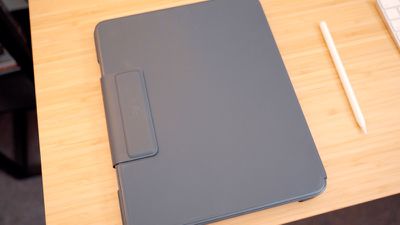
Logitech's Slim Folio Pro, unlike the Slim Book Go, is all one piece without a detachable keyboard option. It has a thick rubber frame that protects the ‌iPad‌, and a single viewing angle for using while typing.

The Slim Folio Pro and the Slim Book Go both offer a better typing experience than the ‌Smart Keyboard‌ Folio for those who like more traditional keys, but we preferred the feel of the Slim Book Go a bit more because the keys have more travel and a more satisfying click. On the plus side, it's a bit less bulky and not as heavy, and it has backlit keys, a nice bonus feature.
logi 2

Logitech Slim Folio Pro

Both the Slim Book Go and the Slim Folio Pro connect to the ‌iPad Pro‌ using Bluetooth, making the ‌Smart Keyboard‌ Folio the only keyboard accessory that uses the Smart Connector on the new ‌iPad Pro‌ models. Bluetooth isn't as convenient as the ‌Smart Connector‌, but these keyboards don't need to be charged often and when they do, you can use USB-C.

So which should you choose? If you hate bulk, get the ‌Smart Keyboard‌ Folio or plan to remove these keyboard cases when not in use, something that can be a hassle.

If you want the best typing experience that's closest to a laptop and don't mind the thickness, choose the Zagg, but if you want something a bit slimmer with backlighting and more stability for on-lap use, choose the Logitech (and make sure to check out our full review). You can, of course, choose none of the above and opt for a much cheaper standalone Bluetooth keyboard.

Which ‌iPad Pro‌ keyboard do you prefer? Apple's, Logitech's, Zagg's, or something else? Let us know in the comments.


Related Roundup: iPad Pro
Buyer's Guide: iPad Pro (Buy Now)

Popular Stories

Apple Wallet ID Illinois

Apple Plans to Expand iPhone Driver's Licenses to These 7 U.S. States

Wednesday December 24, 2025 8:40 am PST by
In select U.S. states, residents can add their driver's license or state ID to the Apple Wallet app on the iPhone and Apple Watch, and then use it to display proof of identity or age at select airports and businesses, and in select apps. The feature is currently available in 13 U.S. states and Puerto Rico, and it is expected to launch in at least seven more in the future. To set up the...
iPhone Top Left Hole Punch Face ID Feature Purple

iPhone 18 Pro Launching Next Year With These 12 New Features

Tuesday December 23, 2025 8:36 am PST by
While the iPhone 18 Pro and iPhone 18 Pro Max are not expected to launch for another nine months, there are already plenty of rumors about the devices. Below, we have recapped 12 features rumored for the iPhone 18 Pro models. The same overall design is expected, with 6.3-inch and 6.9-inch display sizes, and a "plateau" housing three rear cameras Under-screen Face ID Front camera in...
iOS 26

iOS 26.2 Adds These 8 New Features to Your iPhone

Monday December 22, 2025 8:47 am PST by
Earlier this month, Apple released iOS 26.2, following more than a month of beta testing. It is a big update, with many new features and changes for iPhones. iOS 26.2 adds a Liquid Glass slider for the Lock Screen's clock, offline lyrics in Apple Music, and more. Below, we have highlighted a total of eight new features. Liquid Glass Slider on Lock Screen A new slider in the Lock...
maxresdefault

Where's the New Apple TV?

Monday December 22, 2025 11:30 am PST by
Apple hasn't updated the Apple TV 4K since 2022, and 2025 was supposed to be the year that we got a refresh. There were rumors suggesting Apple would release the new Apple TV before the end of 2025, but it looks like that's not going to happen now. Subscribe to the MacRumors YouTube channel for more videos. Bloomberg's Mark Gurman said several times across 2024 and 2025 that Apple would...
maxresdefault

10 Mac Apps Worth Trying in 2026

Wednesday December 24, 2025 9:27 am PST by
2026 is almost upon us, and a new year is a good time to try out some new apps. We've rounded up 10 excellent Mac apps that are worth checking out. Subscribe to the MacRumors YouTube channel for more videos. Alt-Tab (Free) - Alt-Tab brings a Windows-style alt + tab thumbnail preview option to the Mac. You can see a full window preview of open apps and app windows. One Thing (Free) -...
Foldable iPhone 2023 Feature Iridescent Search

Samsung Developing 'Wide Fold' With iPhone Fold-Like Design Ahead of Apple's 2026 Launch

Tuesday December 23, 2025 11:55 am PST by
Samsung is working on a new foldable smartphone that's wider and shorter than the models that it's released before, according to Korean news site ETNews. The "Wide Fold" will compete with Apple's iPhone Fold that's set to launch in September 2026. Samsung's existing Galaxy Z Fold7 display is 6.5 inches when closed, and 8 inches when open, with a 21:9 aspect ratio when folded and a 20:18...
iOS 26

iOS 26.3 Brings AirPods-Like Pairing to Third-Party Devices in EU Under DMA

Monday December 22, 2025 3:20 pm PST by
The European Commission today praised the interoperability changes that Apple is introducing in iOS 26.3, once again crediting the Digital Markets Act (DMA) with bringing "new opportunities" to European users and developers. The Digital Markets Act requires Apple to provide third-party accessories with the same capabilities and access to device features that Apple's own products get. In iOS...
iphone fold 3d print

Have a 3D Printer? You Can Make Your Own iPhone Fold Dummy

Tuesday December 23, 2025 1:31 pm PST by
Apple is working on a foldable iPhone that's set to come out in September 2026, and rumors suggest that it will have a display that's around 5.4 inches when closed and 7.6 inches when open. Exact measurements vary based on rumors, but one 3D designer has created a mockup based on what we've heard so far. On MakerWorld, a user named Subsy has uploaded a 1:1 iPhone Fold replica (via Macworld), ...
iPhone SE Cosmopolitan Clean

Apple Discontinued These 25 Products This Year

Wednesday December 24, 2025 7:24 am PST by
With the end of 2025 near, the time has come to look back at the devices and accessories that Apple discontinued throughout the year. Most of the products that were discontinued this year were simply replaced by a new model with an updated chip. However, the iPhone SE line was entirely discontinued when the iPhone 16e launched, and the iPhone Plus line is being phased out. Below, we have...

Top Rated Comments

AngerDanger Avatar
88 months ago
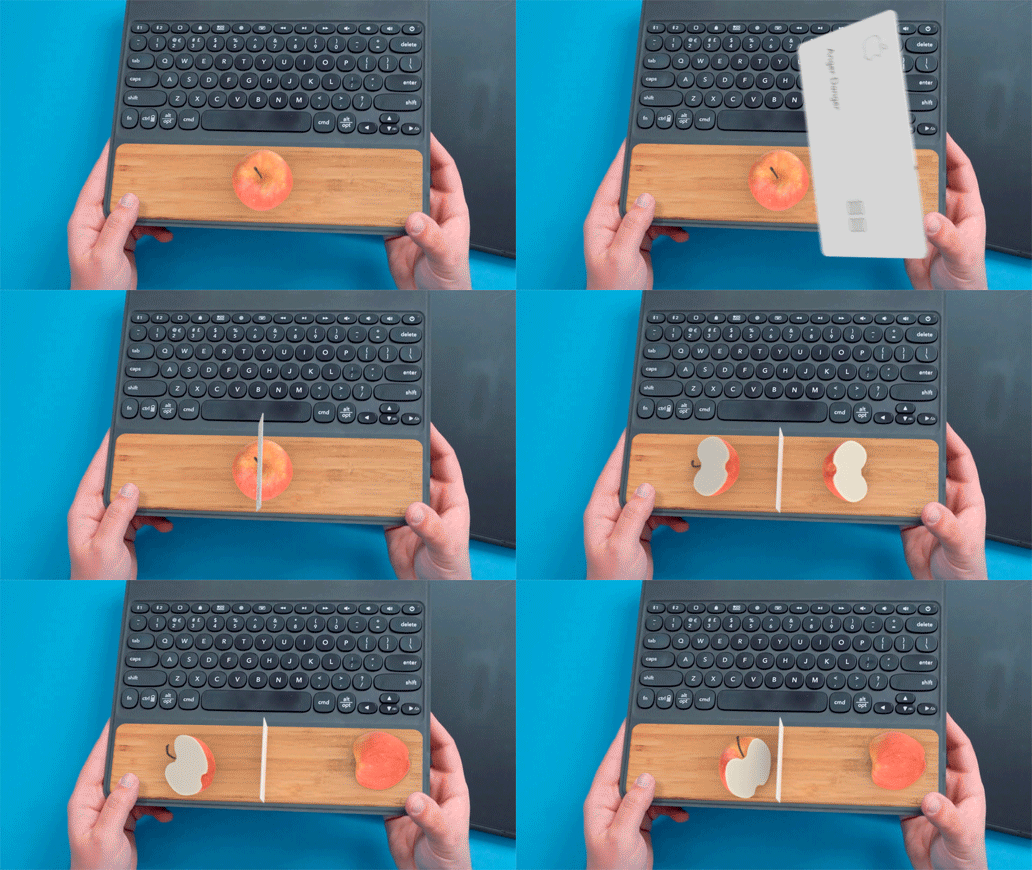
I really wish they would've done something with all that space at the bottom of the Zagg Slim Book.

The obvious solution is of course adding a cutting board to the keyboard so you can prepare your favorite snacks while watching something on your iPad.

Hell, break out your ultra-thin titanium Apple Card and you've even got a knife! :)

Score: 21 Votes (Like | Disagree)
Joniz Avatar
88 months ago
Slim Book Go
Slim Folio Pro
Smart Keyboard Folio


With names like these, would’ve been nice if you instead used Apple, Zagg, Logitech.

No, wait. Zagg, Logitech, Apple.

I think.
Score: 16 Votes (Like | Disagree)
metalsiren Avatar
88 months ago
I like the apple keyboard I just wish it had backlight and thats really it.
Score: 10 Votes (Like | Disagree)
max2 Avatar
88 months ago
Interesting! Thanks.

I still prefer the smart apple keyboard!
Score: 9 Votes (Like | Disagree)
twocents Avatar
88 months ago
Apple keyboard folio def not thin enough. Needs butterfly keys since they'll be sealed and won't manage to get crumbs or sand stuck inside. And since iOS has peaked why not add Touch Bar while you're at it since that will surely make consumers see it as a laptop replacement. /s
Score: 9 Votes (Like | Disagree)
DrJohnnyN Avatar
88 months ago
The Apple keyboard rocks.
Score: 7 Votes (Like | Disagree)