

Apple Card users will be able to export their transaction data in an OFX file format for use with third-party financial apps "within the next few days," a support representative said in an online chat with customer Jed Schmidt.
The exporting feature rolled out last month, but only with CSV file support. Apple said an OFX option would be available in the future. The option to export transactions shows up when a monthly statement is available, and the data can then be imported into budgeting apps like Quicken and Mint.
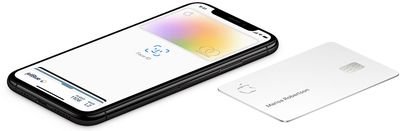
How to Export and Download Apple Card Transactions
- Open the Wallet app on your iPhone and tap on Apple Card.
- Tap on Card Balance.
- Under Statements, tap on the statement you want to export.
- Tap on Export Transactions, and then email, print, save, or share the file.
Apple launched its credit card in the United States in August. Key features include color-coded spending summaries in the Wallet app, no fees beyond any applicable interest, and up to three percent cashback on purchases paid out daily.
To apply for an Apple Card, simply open the Wallet app on an iPhone running iOS 12.4 or later, tap the plus button in the top-right corner, and follow the on-screen steps. The process takes just a few minutes, and if approved, your digital Apple Card will be ready for purchases immediately. A physical titanium-based Apple Card is also available for use at retail stores that do not accept contactless payments.
here's what i got, looks like OFX is on the way. pic.twitter.com/TmUrm2Ucby — Jed Schmidt (@jedschmidt) February 5, 2020























Top Rated Comments
Personally, this is not useful unless I can add the Apple Card account my Mint and USAA accounts.