Apple Explains How to Custom Calibrate the New MacBook Pro Displays

In a new support document, Apple has detailed how to measure and fine-tune the calibration of the display on the new 14-inch and 16-inch MacBook Pro models.
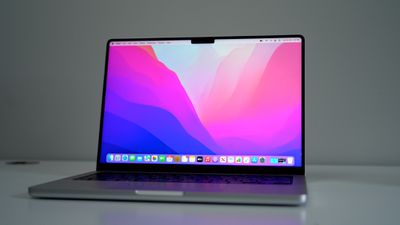
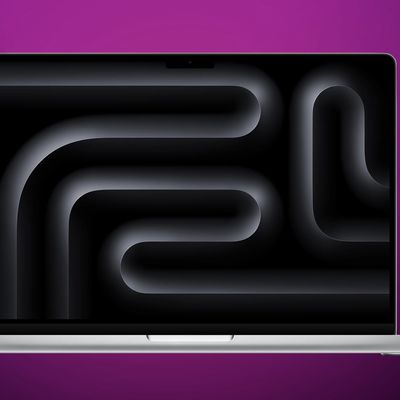
macbook pro 3
The new MacBook Pro models feature XDR displays with mini-LED backlighting and support for one billion colors, but certain workflows may require custom calibration:

Every MacBook Pro with Liquid Retina XDR display undergoes a state-of-the-art factory display calibration process on the assembly line to ensure the accuracy of the P3 wide color panel and the individual backlight LEDs. In addition, the factory calibration process enables sophisticated built-in algorithms to accurately reproduce a variety of color spaces used by media workflows today, including sRGB, BT.601, BT.709,​ and even P3-ST.2084 (HDR).

The factory display calibration process lets MacBook Pro users enjoy an exceptional viewing experience right out of the box. If your workflow requires custom calibration, you can measure your display, then fine-tune the calibration.

The process involves using a spectroradiometer and a set of QuickTime movie test patterns from Apple to evaluate the calibration of the display. The test patterns can be downloaded from the AVFoundation page on Apple's website under Related Resources > Color Test Patterns, with complete instructions available in Apple's support document.

In System Preferences > Displays, users can fine-tune the calibration of the MacBook Pro's display by providing the white point and luminance values measured by the spectroradiometer and the expected values for their target.

Apple's support document includes additional tips for measuring and fine-tuning the calibration.

Related Roundup: MacBook Pro
Buyer's Guide: MacBook Pro (Buy Now)
Related Forum: MacBook Pro

Popular Stories

Apple Wallet ID Illinois

Apple Plans to Expand iPhone Driver's Licenses to These 7 U.S. States

Wednesday December 24, 2025 8:40 am PST by
In select U.S. states, residents can add their driver's license or state ID to the Apple Wallet app on the iPhone and Apple Watch, and then use it to display proof of identity or age at select airports and businesses, and in select apps. The feature is currently available in 13 U.S. states and Puerto Rico, and it is expected to launch in at least seven more in the future. To set up the...
iPhone Top Left Hole Punch Face ID Feature Purple

iPhone 18 Pro Launching Next Year With These 12 New Features

Tuesday December 23, 2025 8:36 am PST by
While the iPhone 18 Pro and iPhone 18 Pro Max are not expected to launch for another nine months, there are already plenty of rumors about the devices. Below, we have recapped 12 features rumored for the iPhone 18 Pro models. The same overall design is expected, with 6.3-inch and 6.9-inch display sizes, and a "plateau" housing three rear cameras Under-screen Face ID Front camera in...
maxresdefault

Where's the New Apple TV?

Monday December 22, 2025 11:30 am PST by
Apple hasn't updated the Apple TV 4K since 2022, and 2025 was supposed to be the year that we got a refresh. There were rumors suggesting Apple would release the new Apple TV before the end of 2025, but it looks like that's not going to happen now. Subscribe to the MacRumors YouTube channel for more videos. Bloomberg's Mark Gurman said several times across 2024 and 2025 that Apple would...
maxresdefault

10 Mac Apps Worth Trying in 2026

Wednesday December 24, 2025 9:27 am PST by
2026 is almost upon us, and a new year is a good time to try out some new apps. We've rounded up 10 excellent Mac apps that are worth checking out. Subscribe to the MacRumors YouTube channel for more videos. Alt-Tab (Free) - Alt-Tab brings a Windows-style alt + tab thumbnail preview option to the Mac. You can see a full window preview of open apps and app windows. One Thing (Free) -...
iOS 26

iOS 26.2 Adds These 8 New Features to Your iPhone

Monday December 22, 2025 8:47 am PST by
Earlier this month, Apple released iOS 26.2, following more than a month of beta testing. It is a big update, with many new features and changes for iPhones. iOS 26.2 adds a Liquid Glass slider for the Lock Screen's clock, offline lyrics in Apple Music, and more. Below, we have highlighted a total of eight new features. Liquid Glass Slider on Lock Screen A new slider in the Lock...
airpods color prototypes

Apple Tested AirPods in Bright Colors

Saturday December 27, 2025 6:06 am PST by
Apple reportedly tested a version of the first-generation AirPods with bright, iPhone 5c-like colored charging cases. The images, shared by the Apple leaker and prototype collector known as "Kosutami," claim to show first-generation AirPods prototypes with pink and yellow exterior casings. The interior of the charging case and the earbuds themselves remain white. They seem close to some...
iPhone Fold Vertical Feature

Why Apple's Foldable iPhone May Be Smaller Than Expected

Tuesday December 23, 2025 5:21 am PST by
Apple's first foldable iPhone, rumored for release next year, may turn out to be smaller than most people imagine, if a recent report is anything to go by. According to The Information, the outer display on the book-style device will measure just 5.3 inches – that's smaller than the 5.4-inch screen on the ‌iPhone‌ mini, a line Apple discontinued in 2022 due to poor sales. The report has led ...
Foldable iPhone 2023 Feature Iridescent Search

Samsung Developing 'Wide Fold' With iPhone Fold-Like Design Ahead of Apple's 2026 Launch

Tuesday December 23, 2025 11:55 am PST by
Samsung is working on a new foldable smartphone that's wider and shorter than the models that it's released before, according to Korean news site ETNews. The "Wide Fold" will compete with Apple's iPhone Fold that's set to launch in September 2026. Samsung's existing Galaxy Z Fold7 display is 6.5 inches when closed, and 8 inches when open, with a 21:9 aspect ratio when folded and a 20:18...
iPhone SE Cosmopolitan Clean

Apple Discontinued These 25 Products This Year

Wednesday December 24, 2025 7:24 am PST by
With the end of 2025 near, the time has come to look back at the devices and accessories that Apple discontinued throughout the year. Most of the products that were discontinued this year were simply replaced by a new model with an updated chip. However, the iPhone SE line was entirely discontinued when the iPhone 16e launched, and the iPhone Plus line is being phased out. Below, we have...

Top Rated Comments

Sowelu Avatar
54 months ago
So wait... They removed or hid the built in Display Calibration Assistant and color profiles for these presets where you are limited to adjusting the white point and luminance only? Apple's factory calibrations have always been and continue to be awful (to my eyes) - and the default calibration on the XDR displays are no exception. Color correction and color profiles are a big part of display calibration.

If you like displays with a dingy green hue and with reds that border on dark orange, you're all set. If you prefer to calibrate your display using the built in and easy to use Display Calibration Assistant, Apple decided that their factory calibrations are the best, and 'pros' shouldn't be able to color correct the displays on their $4,000++ MacBooks using a simple built in tool that has been around for decades.

See my thread here ('https://forums.macrumors.com/threads/cant-calibrate-display-14-macbook-pro-missing-color-button-calibration-option.2319627/') for more info and a workaround. I certainly hope they unhide the Display Calibration Assistant and color profiles option - both color profiles and presets can coexist. I was surmising that hey hid this option because of its new wonky behavior when you do finally access it and they are trying to fix it, but now I am not so sure.
Score: 6 Votes (Like | Disagree)
luxnova Avatar
54 months ago

Colorimetry Research CR-300
Price: $15,990.00 :mad: Apple M1 Max $3,499.00
I found a way to do with X-Rite device. Woraking on a video guide. Will share here when it is done
Score: 5 Votes (Like | Disagree)
javisan Avatar
54 months ago
Dear Apple, can you let us know how to custom calibrate our iPhones to remove the strong yellow tint? The color filter is not the solution.

Thank you.

I hope that one day we'll be allowed to do this.
Score: 4 Votes (Like | Disagree)
macbetta Avatar
54 months ago

I have worked with professional colour measuring equipment from a.o. VeriVide. If you need to really trust your monitor for color accuracy you need to constantly re calibrate based on the number of viewing hours. You can’t say it’s factory calibrated so I don’t need that, it doesn’t work that way. Also whitepoint calibration is absolutely not enough to do this and that is by no means a “professional” calibration. So it sounds nice but it’s not enough for people who make money by trusting color accurate displays.
I think it depends on the industry you work in, or what in specific you're working on. I'm a professional graphic designer currently working for a massive food manufacturer and wholesaler. We don't obsess over color accuracy this much even though 90% of what we design gets printed on a box, label, product, etc. We calibrate monitors maybe once a month at the most usually. Usually once the colors are chosen we don't need to worry about it that much unless we're checking proofs, especially if they're spot colors. (you can also use physical pantone swatches to check stuff like spot colors) Someone editing text on a label does not need to see the colors 100% accurate, at that point the colors have already been determined on a good screen that's calibrated. I use a 5K iMac at work and the out of the box color accuracy is actually almost passable for print, in fact I don't think anyone would notice if it weren't my job to care about it. So I think its a bit disingenious to say "its not enough for people who make money by trusting color accurate displays". The company I work for makes a ridiculous amount of money, requires color accuracy, and we very rarely have an issue with colors printing wrong. (over a year without incident and the last one was a new hires mistake that had nothing to do with color inaccuracy on a monitor)
Score: 4 Votes (Like | Disagree)
David Abrams Avatar
54 months ago
Hi All,

While this isn't the entire story, as it can get very complex, I would like to share a bit of knowledge regarding how Apple's Color Management functions today. Additionally, we were able to calibrate the MacBook Pro w/XDR Display and have included some data. (spoiler: the display calibrates extremely well). Please keep in mind that while we provide data for SDR @ Rec.709 and HDR @ P3, there are many color management targets and scenarios with their own idiosyncrasies that may require consideration.

The Mac is able to display multiple windows that may have different color spaces (targets); as such, it is important to 'manage' the system so that a window (or app) that may be in the sRGB color space will be accurately represented next to another window in a different color space such as Rec.709 or Adobe RGB. To do this, the display profile would inform the color management system as to how the connected display is optimized; at which point, the OS will transform the various color spaces for representation on the target display. In content production, this is similar to applying a LUT (Lookup Table).

sRGB (source) > Apple Color Management > P3-D65 display

In the above scenario Apple Color Management will take an application in sRGB and transform it into the P3-D65 color space. Where this becomes tricky is when a display is unable to fully represent the color space of the source. For example, currently available displays are not quite capable of hitting the Rec.2020, ST.2084 HDR standard-- the standard has a larger color volume and a higher max nit level at 10,000 nits. Apple's specification for the MacBook Pro XDR Display only achieves 1,600 nits. When this happens, some form of tone mapping occurs in an effort to accurately represent the entire image without blowing the highlights out. We can go down a very large rabbit hole with this. :)

In terms of the MacBook Pro XDR, we found the out-of-box measurements to be quite good on the sample tested; of course, there may be manufacturing tolerances where one may be further off, but overall the display wasn't terrible. Thankfully, Apple provides the 'Fine-Tune Calibration' in order to accommodate for out-of-the-box variables and drift over time.

Using the 'Patterns Test Generator ('https://apps.apple.com/us/app/patterns-test-generator/id1534335155?mt=12')' available on the Mac App Store (disclosure: we are involved in this app), and the Calman Ultimate Calibration Software ('https://www.portrait.com/calman-calibration-software/') (we are not involved in this app), we tested various color spaces and how Apple's Color Management handles them. The data attached was taken after both display warm-up and a Fine-Tune Calibration.

SDR


- MacBook Pro XDR set to the 'HDTV Video (BT.709-BT1886)' Preset.
- Patterns Test Generator set to tag patterns (content) as 'BT.709 @ BT.1886'

HDR

- MacBook Pro XDR set to the 'HDR Video (P3-ST 2084)' Preset.
- Patterns Test Generator set to tag patterns (content) as 'Tone Mapped HDR (P3 @ ST 2084)'

We have provided three charts for each SDR and HDR. They are:

Grayscale-EOTF

This chart measures the grayscale from 0% (black) to 100% white. Here we are looking for the RGB Color Balance to line-up on top of each other and for the response curve (EOTF) to track the yellow line. There are two quantifications of error included-- DeltaE 2000 and DeltaE ITP. DeltaE 2000 is most commonly used with SDR content and Delta ITP is most commonly associated with HDR content; however, a truly accurate monitor will have low numbers on both. ?

Saturation Sweeps

This chart tracks color saturation at 25%, 50%, 75%, and 100%. While many reviewers like to only measure 100% to see how far out the primaries can go, the reality is that very few colors are actually at 100% saturation. The sweeps provide a way to validate if the signal is being mapped into the proper color space.

Color Checker

While the grayscale and saturation sweeps provide quality data, they don't provide any data outside of the primary and secondary colors. To achieve a more well rounded image (pun intended) of how the system is performing a color checker chart provides an quick and efficient way to further test the system. Of course, we could even go further and measure larger datasets of the color volume, but for now these will suffice.

Summary

As the results illustrate, the Fine-Tune Calibration is an effective way to dial in the MacBook Pro XDR display. Please note that while we are evaluating color balance, color space, response curves, we are not evaluating local dimming, blooming (halos) and other things that contribute to what is called a 'reference display'. After all, color calibration is only part of the battle to quality images. :)

Best,

David Abrams

Attachment Image

Attachment Image

Attachment Image

Attachment Image

Attachment Image

Attachment Image
Score: 4 Votes (Like | Disagree)
luxnova Avatar
54 months ago
Here's a link to the video on how to set up a custom reference mode, fine tune calibration and then do a full calibration along with reasons why you might not want to do that yet
it is longer so use the timestamp to skep to calibration section
Score: 3 Votes (Like | Disagree)