Here Are Apple's macOS Tahoe 26 Release Notes

macOS Tahoe is coming out next Monday, and Apple provided the release candidate (RC) version of the software earlier this week. The RC came with notes highlighting the features that Apple believes are most important.
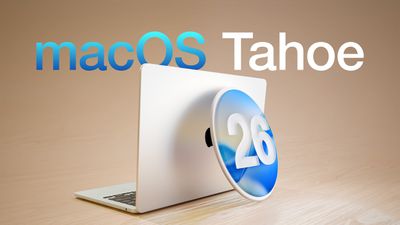
macOS Tahoe 26 Thumb
Apple has changed up the way that it provides release notes for macOS, and rather than a list of features, there's a carousel with more detailed descriptions of key additions and images to go along with each feature.

New design featuring Liquid Glass
The new design makes the iconic elements of macOS fresh yet familiar. A transparent menubar makes your display feel larger. Apps with Liquid Glass sidebars and toolbars reflect and refract what you're viewing, drawing more focus to your content. And you can personalize icons and widgets, giving them a light, dark, tinted, or new clear look to match your style.

Customize the look of folders
To make folders easy to recognize, you can give them a distinctive appearance. You can now choose a unique color and add emoji or symbol

Personalize Control Center
Enjoy more ways to customize which controls appear in Control Center, and how they're laid out. Add new controls from Mac and even iPhone apps, including from your favorite third-party apps. Arrange them however you like, and even create pages of controls. You can also place controls right into the menu bar for easier access.

Communicate seamlessly across languages with Live Translation
With Apple Intelligence, Live Translation helps you automatically translate text in Messages, follow along with live-translated captions in FaceTime calls, or listen to a real-time audio transcription spoken aloud in the Phone app. It works entirely on-device so your personal conversations stay private.

Create incredibly powerful shortcuts
The Shortcuts app is supercharged with Apple Intelligence. Intelligent actions can summarize text, create images, or tap directly into Apple Intelligence models. And with automations on Mac, you can make shortcuts run automatically based on conditions, such as the time of day, file or folder updates, connecting to an external monitor, and more.

New options for making Genmoji
Mix your favorite emoji together with descriptions to make something brand new. And get more control over Genmoji inspired by family and friends, with new options like hairstyle customization to help you match their latest look.

More ways to create the perfect image in Image Playground
Get more control over images inspired by people from your photo library, with new options to change their expressions or hairstyle to match their latest look. You can also access new ChatGPT styles, like Watercolor or Oil Painting, and use Any Style to describe what you want.

See Live Activities from iPhone on Mac
Continuity gets even better with Live Activities. Easily stay on top of activities that you started on iPhone, like tracking the progress of your order from Uber Eats, right from the menu bar on Mac. You can even click on the Live Activity to open the app in iPhone Mirroring.

All-new Phone app
Powered by Continuity, the new Phone app for Mac lets you relay cellular calls from your nearby iPhone. Call Screening can help you manage unwanted calls by finding out who's calling and why, without interrupting you. You can also access familiar features--including Recents, Contacts, and Voicemails--and new ones like Hold Assist and Live Translation.

Focus your Messages conversations
To help you focus on what matters, new screening tools filter out unknown numbers from your conversation list until you mark them as known, and on-device spam detection helps filter out spam. You can also add a background to your conversation to give it a distinctive look. And send polls to friends and family over iMessage and watch the votes come in live.

Discover new ways to browse in Spotlight
Spotlight makes it easy to see all your apps, locate recent or suggested files, discover actions you can take, and view your clipboard history. Just launch Spotlight from the menu bar and select the Applications, Files, Actions, or Clipboard button, which will appear next to the search field.

Take actions directly from Spotlight
You can now take hundreds of new system and app actions right from Spotlight, such as sending messages, creating an event, and running shortcuts, all without lifting your hands off the keyboard. And to get things done faster, Spotlight automatically assigns quick keys to actions you take, so you can execute them in just a few characters.

Experience the new Apple Games app
The Apple Games app is your one-stop gaming destination. Discover the latest updates across your games, such as in-game events, major updates, and games your friends are playing. Access your entire game library. And compete with friends in challenges.

‌macOS Tahoe‌ will launch on September 15 alongside iOS 26, iPadOS 26, visionOS 26, watchOS 26, and tvOS 26.

Related Roundup: macOS Tahoe
Related Forum: macOS Tahoe

Popular Stories

Apple Wallet ID Illinois

Apple Plans to Expand iPhone Driver's Licenses to These 7 U.S. States

Wednesday December 24, 2025 8:40 am PST by
In select U.S. states, residents can add their driver's license or state ID to the Apple Wallet app on the iPhone and Apple Watch, and then use it to display proof of identity or age at select airports and businesses, and in select apps. The feature is currently available in 13 U.S. states and Puerto Rico, and it is expected to launch in at least seven more in the future. To set up the...
iPhone Top Left Hole Punch Face ID Feature Purple

iPhone 18 Pro Launching Next Year With These 12 New Features

Tuesday December 23, 2025 8:36 am PST by
While the iPhone 18 Pro and iPhone 18 Pro Max are not expected to launch for another nine months, there are already plenty of rumors about the devices. Below, we have recapped 12 features rumored for the iPhone 18 Pro models. The same overall design is expected, with 6.3-inch and 6.9-inch display sizes, and a "plateau" housing three rear cameras Under-screen Face ID Front camera in...
maxresdefault

Where's the New Apple TV?

Monday December 22, 2025 11:30 am PST by
Apple hasn't updated the Apple TV 4K since 2022, and 2025 was supposed to be the year that we got a refresh. There were rumors suggesting Apple would release the new Apple TV before the end of 2025, but it looks like that's not going to happen now. Subscribe to the MacRumors YouTube channel for more videos. Bloomberg's Mark Gurman said several times across 2024 and 2025 that Apple would...
maxresdefault

10 Mac Apps Worth Trying in 2026

Wednesday December 24, 2025 9:27 am PST by
2026 is almost upon us, and a new year is a good time to try out some new apps. We've rounded up 10 excellent Mac apps that are worth checking out. Subscribe to the MacRumors YouTube channel for more videos. Alt-Tab (Free) - Alt-Tab brings a Windows-style alt + tab thumbnail preview option to the Mac. You can see a full window preview of open apps and app windows. One Thing (Free) -...
iOS 26

iOS 26.2 Adds These 8 New Features to Your iPhone

Monday December 22, 2025 8:47 am PST by
Earlier this month, Apple released iOS 26.2, following more than a month of beta testing. It is a big update, with many new features and changes for iPhones. iOS 26.2 adds a Liquid Glass slider for the Lock Screen's clock, offline lyrics in Apple Music, and more. Below, we have highlighted a total of eight new features. Liquid Glass Slider on Lock Screen A new slider in the Lock...
airpods color prototypes

Apple Tested AirPods in Bright Colors

Saturday December 27, 2025 6:06 am PST by
Apple reportedly tested a version of the first-generation AirPods with bright, iPhone 5c-like colored charging cases. The images, shared by the Apple leaker and prototype collector known as "Kosutami," claim to show first-generation AirPods prototypes with pink and yellow exterior casings. The interior of the charging case and the earbuds themselves remain white. They seem close to some...
iPhone Fold Vertical Feature

Why Apple's Foldable iPhone May Be Smaller Than Expected

Tuesday December 23, 2025 5:21 am PST by
Apple's first foldable iPhone, rumored for release next year, may turn out to be smaller than most people imagine, if a recent report is anything to go by. According to The Information, the outer display on the book-style device will measure just 5.3 inches – that's smaller than the 5.4-inch screen on the ‌iPhone‌ mini, a line Apple discontinued in 2022 due to poor sales. The report has led ...
iPhone SE Cosmopolitan Clean

Apple Discontinued These 25 Products This Year

Wednesday December 24, 2025 7:24 am PST by
With the end of 2025 near, the time has come to look back at the devices and accessories that Apple discontinued throughout the year. Most of the products that were discontinued this year were simply replaced by a new model with an updated chip. However, the iPhone SE line was entirely discontinued when the iPhone 16e launched, and the iPhone Plus line is being phased out. Below, we have...
Foldable iPhone 2023 Feature Iridescent Search

Samsung Developing 'Wide Fold' With iPhone Fold-Like Design Ahead of Apple's 2026 Launch

Tuesday December 23, 2025 11:55 am PST by
Samsung is working on a new foldable smartphone that's wider and shorter than the models that it's released before, according to Korean news site ETNews. The "Wide Fold" will compete with Apple's iPhone Fold that's set to launch in September 2026. Samsung's existing Galaxy Z Fold7 display is 6.5 inches when closed, and 8 inches when open, with a 21:9 aspect ratio when folded and a 20:18...

Top Rated Comments

iLondoner Avatar
15 weeks ago
Despite all the razzmatazz surrounding macOS26, I just don't see any benefit of Liquid Glass, it makes it more difficult to identify items. We merely use the operating system to facilitate the loading of apps that we really use. The OS is not the prime purpose of the machine.

But my biggest bugbear is the arbitrary removal of Launchpad from macOS. Why did you cripple the OS in such a manner?
Score: 22 Votes (Like | Disagree)
yabeweb Avatar
15 weeks ago
Reduce roundness of windows please!
Score: 16 Votes (Like | Disagree)
macduke Avatar
15 weeks ago
I am just really not enjoying liquid glass on my iPhone and iPad so far. I think I might skip upgrading my Mac, at least as long as I can, until they get it cleaned up more. Wish there was an option to just turn off these effects entirely!

I'm also experiencing a lot of visual glitches with liquid glass, such as buttons in dark mode that are suddenly bright and in control center a weird small black offset rectangle that keeps popping up under my buttons. Safari keeps locking up on my iPad Pro M1 as well. Not a great release candidate, feel like they're going to issue an RC2 for that, or have some patch shortly after launch for these issues and for legibility.

I also hate how every time I tap in the box to edit something in a message I'm typing, it flashes brightly. Also not a fan of the new address bar button stuff at the bottom of Safari on iPhone. I turned the old style back on, but it's still floating when it could be using that space more effectively, and I keep having issues with that floating thing glitching out with how different websites are designed that have elements that snap to the bottom. It's annoying because it seems to be covering up things sometimes, or shoving the content up way too high, making there be less screen space.
Score: 15 Votes (Like | Disagree)
Lounge vibes 05 Avatar
15 weeks ago

Despite all the razzmatazz surrounding macOS26, I just don't see any benefit of Liquid Glass, it makes it more difficult to identify items. We merely use the operating system to facilitate the loading of apps that we really use. The OS is not the prime purpose of the machine.

But my biggest bugbear is the arbitrary removal of Launchpad from macOS. Why did you cripple the OS in such a manner?
The teeth grinding about launchpad is funny to me because I was around for the threads about OS X Lion, where launchpad was introduced, and the absolute sky is falling doom and gloom about how launchpad signified the “end of the Mac as we know it!!!”
Soon the desktop will be gone, and all that will be left is the launchpad and you’ll only be able to download apps from the App Store and there will be no more terminal and no more file system and the world will end!!!
More time has passed since the release of that operating system then between that OS and the initial release of Mac OS X.
Score: 15 Votes (Like | Disagree)
Love-hate ? relationship Avatar
15 weeks ago
I absolutely hate how everything is bigger and how it takes more movement to travel between elements of the UI . terrible interface wise and terrible from a legibility standpoint.

it's like all ergo engineers have left apple

could also be the prepared ground for a touch based mac
Score: 14 Votes (Like | Disagree)
icerabbit Avatar
15 weeks ago
Is Apple bringing back black fonts on white text?
Or will it still be shades of grey on grey?
Do we get color icons back?

Of course not ... color me surprised that they are going for more transparency and less readability and recognizability.

Sure, as a theme, I can see how " liquid ... " could be an opt in choice.
But for an OS default?? Eh. NO!

My main point is: we humans see in color, so bring back some contrast and color in the entire UI. I get eye strain from various windows, apps, menus and what not that let other apps bleed through.

Each time I fire up an old Mac, it is such a breath of fresh air to have the old UI with its colorful icons in settings, in the finder, ...
Score: 11 Votes (Like | Disagree)