Apple Releases New Firmware Update for iPhone Air MagSafe Battery
Apple this week released another firmware update for the iPhone Air MagSafe Battery, but there are no specific details about what it includes.
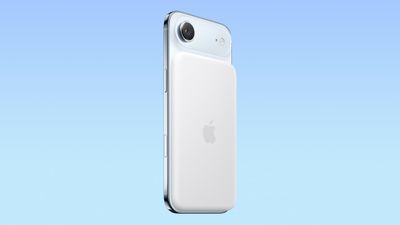
The latest iPhone Air MagSafe Battery firmware has a version number of 8B32, up from 8B25. In the Settings app on the iPhone Air, the new firmware is listed as version 101.0, while the previous firmware was listed as version 99.0 in the app.
- New Firmware: 101.0 (Version) / 8B32 (Build)
- Previous Firmware: 99.0 (Version) / 8B25 (Build)
Apple does not share release notes for iPhone Air MagSafe Battery firmware updates, so it is unclear what is new. However, it would be reasonable to assume the update includes performance and stability improvements, and/or bug fixes.
iPhone Air MagSafe Battery firmware updates automatically install in the background over time, while the accessory is charged and actively being used.
You can check the version number of the MagSafe Battery's firmware by attaching it to an iPhone Air, opening the Settings app on the device, and tapping on General → About → iPhone Air MagSafe Battery. If you see 101.0, it is up to date.
Popular Stories
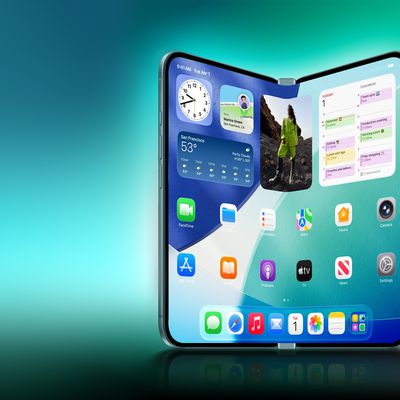
Bloomberg's Mark Gurman has high expectations for Apple's first foldable iPhone.
In his Power On newsletter today, he said the foldable iPhone will be "the most significant overhaul in the iPhone's history."
"iPhone 4, iPhone 6 and iPhone X were clearly a big deal, but this is a whole new design," he said.
Like Samsung's Galaxy Z Fold 7, the foldable iPhone will reportedly open up like ...
iOS 26.5 is now available for developers, and while it doesn't include any new Siri capabilities, there are some major changes for the European Union, and smaller tweaks for features available worldwide.
Suggested Places
In the Maps app, there's a new "Suggested Places" feature that recommends locations to visit based on trending places nearby and recent searches. When Apple launches ads in ...
Apple has been celebrating its upcoming 50th anniversary by hosting surprise performances and other events around the world over the past few weeks, and now Bloomberg's Mark Gurman has revealed details about the company's grand finale.
In a social media post, Gurman said Apple's celebrations will conclude this week with a finale at its Apple Park headquarters for employees.
A special...
Popular Stories
Apple today announced the iPhone 17e, featuring the A19 chip, MagSafe connectivity, faster charging, and more.
The iPhone 17e contains the A19 chip introduced in iPhone 17. It features a 6-core CPU and a 4-core GPU. Apple pointed out that this makes it up to 2x faster than the iPhone 11. The new 16-core Neural Engine is optimized for large generative models. The iPhone 17e also contains...
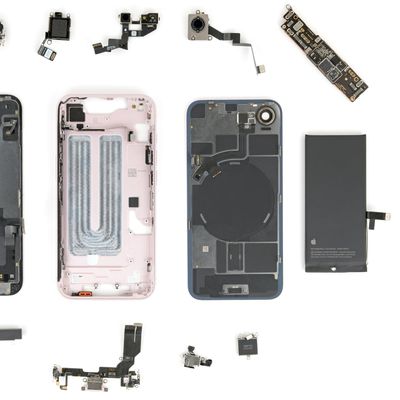
Repair site iFixit today took apart the iPhone 17e, which is the new low-cost iPhone that Apple launched last Wednesday. The iPhone 17e is almost identical to the iPhone 16e in design, but it does include a MagSafe back panel that supports MagSafe and faster Qi charging than the iPhone 16e.
When disassembling the iPhone 17e, iFixit found that the MagSafe panel for the device is the same...
In a research note for investment bank Barclays earlier this month, Apple analyst Tim Long said his supply chain sources mentioned the possibility of the iPhone 18 base model being announced in March next year, rather than in September this year. This split launch has been widely rumored by multiple sources in recent months.
More interestingly, Long dropped two unique pieces of information.
...