A major storm system is expected to deliver significant snowfall and freezing rain across more than half of the United States this weekend, with winter weather alerts in effect in cities like Atlanta, Baltimore, Boston, Charlotte, Cleveland, Dallas, Indianapolis, Nashville, New York, Philadelphia, Raleigh, Washington D.C., and others.
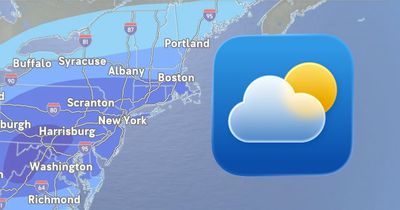
On the iPhone, iPad, and Mac, the Apple Weather app has forecasted up to two feet of snowfall in some cities, which has led to a lot of discussion about the app and how its forecasts can sometimes significantly differ from other weather providers.
The New York Times today reported on the topic. First, it said "many weather apps" show the results from a single forecast model, whereas meteorologists will often look at many models. Second, it noted that meteorologists caution that it can be difficult to forecast specific precipitation amounts several days in advance of a storm.
As this system approaches, snowfall estimates shown in the Apple Weather app have decreased in many cities compared to what was originally forecasted, but the amounts remain significant in many areas. Other cities may experience freezing rain, sleet, or a wintry mix, and the weather could cause power outages in some locations.
Apple Weather Data Sources
In 2020, Apple acquired the popular weather app Dark Sky, and it has since integrated the app's features and hyperlocal forecasts into the Apple Weather app. In a support document, however, Apple says that it still gathers at least some weather data from sources including the U.S. National Weather Service, The Weather Channel, and others.
Severe Weather and Next-Hour Precipitation Notifications
In the U.S., you can receive severe weather and next-hour precipitation notifications on your iPhone by opening the Apple Weather app, tapping on the list icon in the bottom-right corner, tapping on the three dots in the top-right corner, selecting Notifications, and turning on both types of notifications under Current Location.