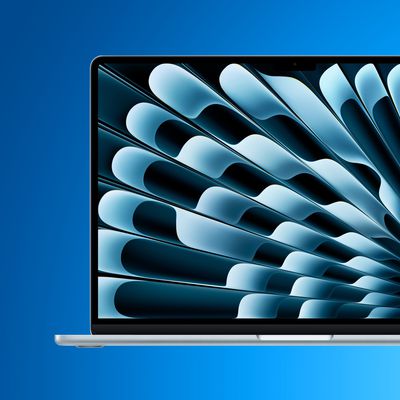
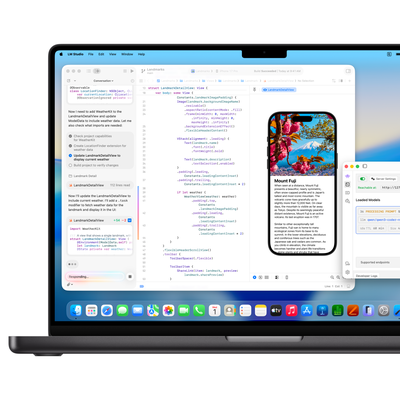
Choosing a new Mac often involves consideration of the many Apple silicon chips now on offer, so our comprehensive guide covers their generations, variations, and performance benchmarks to help you decide which is best for you.
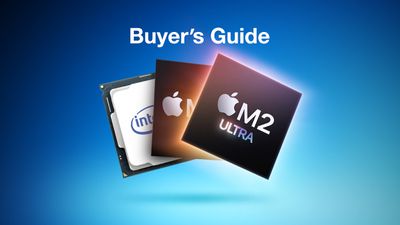
After iterating for over a decade in the iPhone and iPad, Apple in 2020 brought its custom silicon chip technology to the Mac, enabling major performance and power efficiency improvements. Since then, Apple silicon has expanded to every Mac model, spurring new designs and capabilities that were previously impossible.
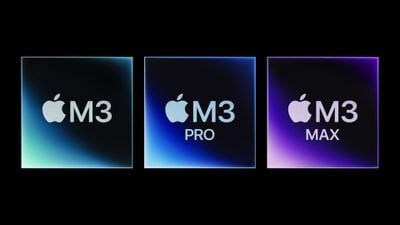
Understanding the distinctions between Apple silicon chips will help you make an informed decision when selecting the right Mac for your needs. There have been three generations of Apple silicon for the Mac, each with up to four different chip variants. The main differences between the four different chip variants are as follows:
- M1, M2, and M3: Standard Apple silicon chip with a balance of performance and power-efficiency.
- M1 Pro, M2 Pro, and M3 Pro: Apple silicon chip with additional high-performance CPU cores. The M1 Pro and M2 Pro feature twice the memory bandwidth of the M2 and M3 chips (200GB/s), while the M3 Pro features 50% more memory bandwidth than the M2 and M3 chips (150GB/s).
- M1 Max, M2 Max, and M3 Max: Doubles the GPU cores of the M1 Pro, M2 Pro, or M3 Pro and features up to twice the memory bandwidth (400GB/s) of the M1 Pro or M2 Pro chips for better graphics performance. M3 Max also adds extra CPU cores.
- M1 Ultra and M2 Ultra: Encompasses two M1 Max or M2 Max chips for double overall CPU and GPU performance, as well as twice the memory bandwidth (800GB/s).
Apple Silicon Generations
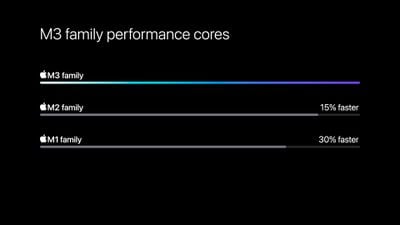
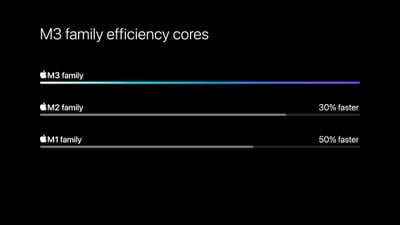
With the introduction of the M2 series of chips in 2022 and M3 series of chips in 2023, Apple made some key improvements over the initial M1 series from 2020.
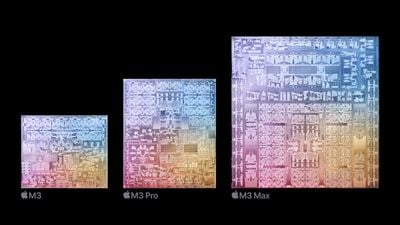
The below table provides a comparison between the M1, M2, and M3 series, highlighting differences in the chips they are based on, node, CPU clock speed, Neural Engines, and more:
| M1 Series | M2 Series | M3 Series |
|---|---|---|
| Based on A14 Bionic chip from iPhone 12 (2020) | Based on A15 Bionic chip from iPhone 13 (2021) | Based on A17 Pro chip from iPhone 15 Pro (2023) |
| 5nm node (N5) | Enhanced 5nm node (N5P) | 3nm node (N3B) |
| 3.20 GHz CPU clock speed | 3.49 GHz CPU clock speed | 4.05 GHz CPU clock speed |
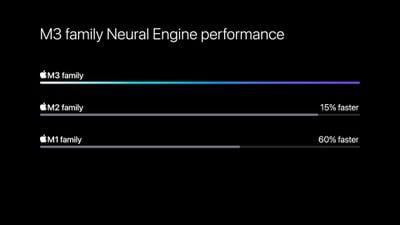
| Neural Engine | 40% faster Neural Engine | 15% faster Neural Engine |
| Video decode engine | Higher-bandwidth video decode engine | |
| Support for AV1 decode | ||
| New GPU architecture | ||
| Dynamic Caching | ||
| Hardware-accelerated ray tracing | ||
| Hardware-accelerated mesh shading | ||
| Image signal processor (ISP) | New image signal processor (ISP) | Same ISP as M2 |
| Launched November 2020 to March 2022 | Launched June 2022 to early 2024 | Launched starting November 2023 |
The performance improvements seen with each iteration of Apple's Neural Engine is indicative of the generation-over-generation improvements that the company has been able to achieve with its custom silicon.
The standard M2 chip also features several additional changes over the M1 chip, its direct predecessor, that are worth noting:
| M1 | M2 |
|---|---|
| 68.25GB/s memory bandwidth | 100GB/s memory bandwidth |
| Media engine for hardware-accelerated H.264 and HEVC | Media engine for hardware-accelerated H.264, HEVC, ProRes, and ProRes RAW |
| ProRes encode and decode engine |
All Apple silicon chips other than the M1 chip contain media engines for hardware-accelerated H.264, HEVC, ProRes, and ProRes RAW video. The M3 chip also adds support for AV1 decode.
Thanks to use of more advanced fabrication processes and larger surface areas, Apple has added more transistors to its M-series chips with each generation:
| (Standard) | Pro | Max | Ultra | |
|---|---|---|---|---|
| M1 | 16 billion | 33.7 billion | 57 billion | 114 billion |
| M2 | 20 billion | 40 billion | 67 billion | 134 billion |
| M3 | 25 billion | 37 billion | 92 billion |
Devices
Each Apple silicon chip is only available in a select number of Apple devices. The standard M1 and M2 chips are present in a large number of laptop and desktop devices, several iPad models, and even the upcoming Vision Pro headset, owing to their requirement for a balance of performance and efficiency. On the other hand, the M2 Ultra, Apple's most powerful custom silicon chip to date, is only available in the high-end Mac Studio and Mac Pro.
| (Standard) | Pro | Max | Ultra | |
|---|---|---|---|---|
| M1 | MacBook Air (2020) Mac mini (2020) MacBook Pro (13-inch, 2020) iMac (2021) iPad Pro (2021) iPad Air (2022) |
MacBook Pro (14-inch and 16-inch, 2021) | MacBook Pro (14-inch and 16-inch, 2021) Mac Studio (2022) |
Mac Studio (2022) |
| M2 | MacBook Air (2022, 2023) MacBook Pro (13-inch, 2022) iPad Pro (2022) Mac Mini (2023) Vision Pro (2024) |
MacBook Pro (14-inch and 16-inch, early 2023) Mac mini (2023) |
MacBook Pro (14-inch and 16-inch, early 2023) Mac Studio (2023) |
Mac Studio (2023) Mac Pro (2023) |
| M3 | MacBook Pro (14-inch, late 2023) iMac (2023) MacBook Air (13-inch and 15-inch, early 2024) |
MacBook Pro (14-inch and 16-inch, late 2023) | MacBook Pro (14-inch and 16-inch, late 2023) |
CPU and GPU Cores
CPU cores are individual processing units within a Central Processing Unit (CPU) responsible for executing instructions and performing general-purpose tasks, while GPU cores are specialized units within a Graphics Processing Unit (GPU) designed for parallel processing and graphics-intensive tasks.
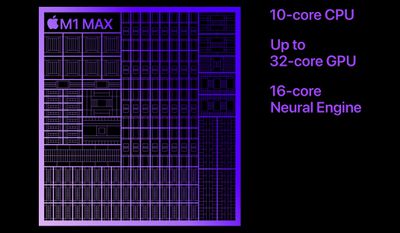
The number of CPU and GPU cores in an Apple silicon chip impacts the performance and multitasking capabilities of a Mac, with more cores leading to faster and more efficient execution of tasks, especially in intensive workloads. The table below presents a comparison of the core configurations and GPU specifications for the different variants of the M1 and M2 chips:
| (Standard) | Pro | Max | Ultra | |
|---|---|---|---|---|
| M1 | 4 high-performance cores 4 energy-efficient cores 7- or 8-core GPU |
6 or 8 high-performance cores 2 energy-efficient cores 14- or 16-core GPU |
8 high-performance cores 2 energy-efficient cores 24- or 32-core GPU |
16 high-performance cores 4 energy-efficient cores 48- or 64-core GPU |
| M2 | 4 high-performance cores 4 energy-efficient cores 8- or 10-core GPU |
6 or 8 high-performance cores 4 energy-efficient cores 16- or 19-core GPU |
8 high-performance cores 4 energy-efficient cores 30- or 38-core GPU |
16 high-performance cores 8 energy-efficient cores 60- or 76-core GPU |
| M3 | 4 high-performance cores 4 energy-efficient cores 8- or 10-core GPU |
5 or 6 high-performance cores 6 energy-efficient cores 14- or 18-core GPU |
10 or 12 high-performance cores 4 energy-efficient cores 30- or 40-core GPU |
Deciding how many CPU cores you need depends on the specific tasks and workflows you intend to perform on your Mac. For example, if you primarily engage in basic tasks like web browsing, document editing, and media consumption, an eight-core CPU should suffice. On the other hand, if you work with demanding workloads like software development, opting for a higher core count can provide significant performance benefits. Similarly, graphics-intense workflows like video editing, 3D modeling, or gaming will benefit from additional GPU cores.
Benchmarks
Computer benchmark scores are standardized measurements that evaluate the performance of chips, providing a numerical representation for comparing capabilities and assessing performance against industry standards.
The data on the below table is calculated from Geekbench 6 results users uploaded to Geekbench. Geekbench 6 scores are calibrated against a baseline score of 2,500 (which is the score of an Intel Core i7-12700 performing the same task).
The below Geekbench 6 scores show the range from the lowest specification chip in the least powerful Mac to the highest specification chip in the most powerful Mac it is offered in. All scores are rounded to the nearest 10 for simplicity.
Single-Core Benchmarks
| (Standard) | Pro | Max | Ultra | |
|---|---|---|---|---|
| M1 | 2,330–2,350 | 2,360–2,370 | 2,380–2,400 | 2,384 |
| M2 | 2,570–2,630 | 2,640–2,650 | 2,740–2,800 | 2,760–2,770 |
| M3 | 3,010 | 3,120 | 3,120 |
Multi-Core Benchmarks
| (Standard) | Pro | Max | Ultra | |
|---|---|---|---|---|
| M1 | 8,250–8,390 | 10,300–12,200 | 12,180–12,430 | 17,810 |
| M2 | 9,630–9,650 | 12,100–14,250 | 14,500–14,810 | 21,180–21,320 |
| M3 | 11,763 | 14,010–14,410 | 19,160–21,215 |
Metal Benchmarks
| (Standard) | Pro | Max | Ultra | |
|---|---|---|---|---|
| M1 | 29,450–32,030 | 61,870–65,910 | 103,120–112,940 | 154,190 |
| M2 | 41,300–45,550 | 72,360–81,430 | 137,530–144,380 | 202,640–220,080 |
| M3 | 47,430 | 68,330–77,070 | 124,060–157,120 |
The M1, M2, and M3 chips demonstrate performance improvements in single-core and multi-core tasks as you move from the base to the Ultra variants, with the M3 chip showcasing even higher performance across the board. Nevertheless, it is worth noting that benchmarks do not tell the whole story. Benchmarks focus on specific tasks and synthetic workloads, and do not always accurately capture real-world usage scenarios and variations.
Unified Memory
Apple silicon chips have a unified memory architecture, meaning that the RAM is tied directly to the processor for maximum speed and efficiency. This means that the chip you choose determines what memory option are available, and it is not upgradable at a later date.
| (Standard) | Pro | Max | Ultra | |
|---|---|---|---|---|
| M1 | 8GB 16GB |
16GB 32GB |
32GB 64GB |
64GB 128GB |
| M2 | 8GB 16GB 24GB |
16GB 32GB |
32GB 64GB 96GB |
64GB 128GB 192GB |
| M3 | 8GB 16GB 24GB |
18GB 36GB |
36GB 48GB 64GB 96GB 128GB |
Deciding how much RAM you need depends on your specific tasks and usage patterns. 8GB should be enough for most users, but upgrading to 16GB or 24GB could be sensible for users with more intense multitasking requirements. Amounts of memory beyond 32GB are generally reserved for seriously demanding workflows.
Final Thoughts
Overall, if you are new to Apple silicon and are still not sure which chip to buy, use the following rationale:
- Buy M1, M2, or M3 if... you need a good balance of price, performance, and battery life and have normal day-to-day computing requirements.
- Buy M1 Pro, M2 Pro, or M3 Pro if... you need a performance-focused chip for slightly more intense workflows.
- Buy M1 Max, M2 Max, or M3 Max if... you need additional graphics performance for working with images, videos, graphic design, or games.
- Buy M1 Ultra or M2 Ultra if... you need the best possible overall performance for extremely intense professional workflows.
It is generally not worth upgrading from any of the individual M1 chips to their direct successors and it may be better to wait for Apple to launch the M4 series of chips at some point in the next couple of years before upgrading if you are already an M2 user.