Apple with the Apple Watch Series 6 introduced a new feature for monitoring blood oxygen level, using the LEDs at the back of the Apple Watch to determine the amount of oxygen in the blood. A low blood oxygen level can be indicative of a serious health issue that needs immediate attention.
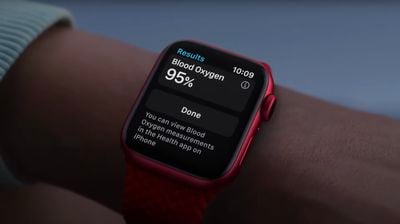
Taking a blood oxygen reading is rather straightforward, but there are automatic measurement settings to be aware of as well as necessary tips for getting an accurate measurement, all of which can be found in the guide below.
How Blood Oxygen Readings on Apple Watch Work
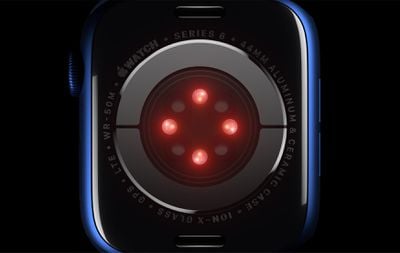
The Apple Watch Series 6 is equipped with green, red, and infrared LEDs that shine light onto the blood vessels in the wrist, with photodiodes measuring the amount of light reflected back.
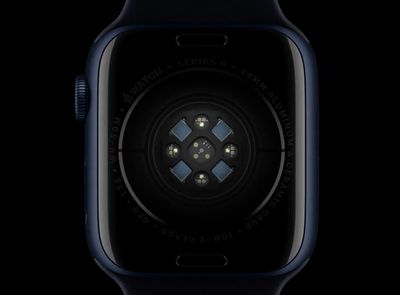
Apple's algorithms use this information to calculate the color of the blood, which is an indication of how much oxygen is in the blood. Bright red blood is well oxygenated, while darker blood has less oxygen.
The Apple Watch Series 6 can measure blood oxygen levels between 70 and 100 percent. Most healthy people have blood oxygen levels that range from 95 to 100 percent, though those with COPD and other lung diseases may have a lower average percentage.
Apple does not expect the Blood Oxygen function in the Series 6 to be intended for medical use, and so the Apple Watch will not send a notification if a lower than normal blood oxygen level is detected.
Hardware Requirements
Using the Blood Oxygen monitoring feature requires an Apple Watch Series 6 running the latest version of watchOS along with an iPhone 6s or later with the latest version of iOS.
The Blood Oxygen app is available in almost all countries around the world, but if you're not seeing it, it might not be in your country. Apple has a list here.
Note that the Blood Oxygen app is not available to users under 18 and it is not enabled when an Apple Watch has been paired to an iPhone using Family Setup.
Enabling Blood Oxygen Measurements
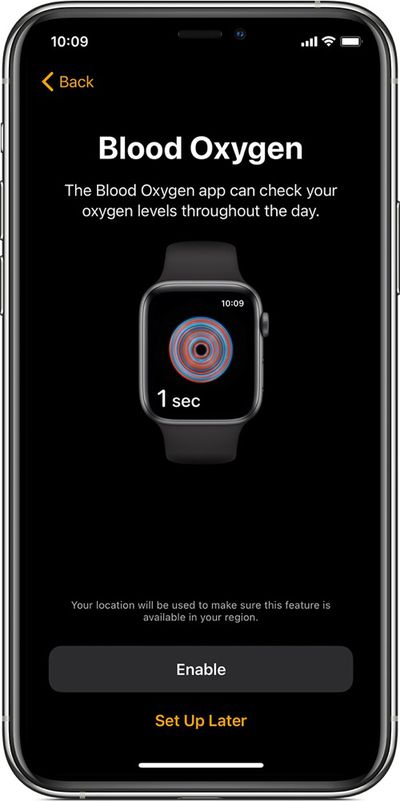
When you set up a Series 6 Apple Watch, you'll be asked during the setup process if you want to enable Blood Oxygen measurements. If you tap "enable" when asked, the feature will be turned on automatically and will be usable through the Blood Oxygen app.
How to Take a Blood Oxygen Measurement on Apple Watch
- Make sure your Apple Watch Series 6 is snug but comfortable on your wrist.

- Open the Blood Oxygen app on your Apple Watch.
- Keep still, and make sure your wrist is flat with the Apple Watch facing upwards.
- Tap Start, then keep your arm steady for 15 seconds.
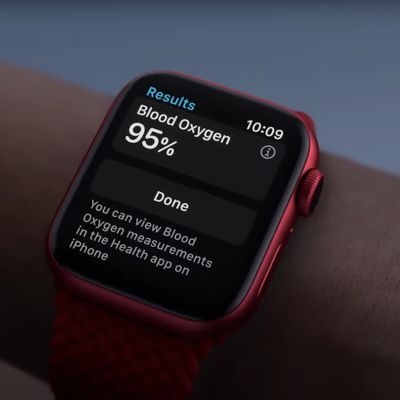
- Wait for the measurement to be taken - you'll see the result when it's complete. Then tap Done.
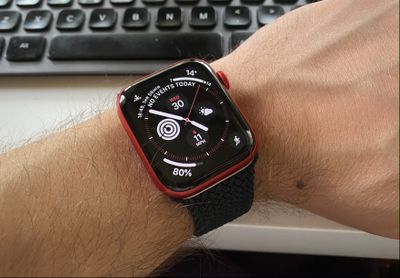
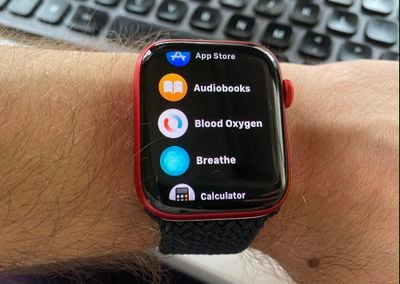
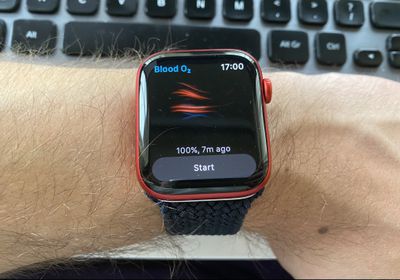
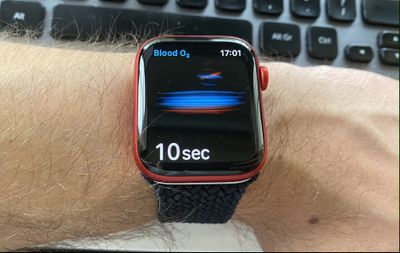
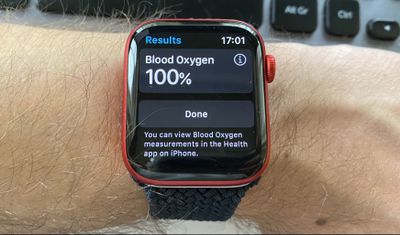
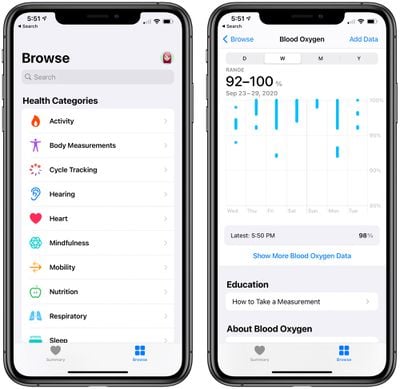
You can view blood oxygen measurements taken over days, weeks, months, and years in the Health app on your iPhone. Simply search for "Blood Oxygen."
Automatic Blood Oxygen Readings
In addition to on-demand readings, the Apple Watch Series 6 takes automatic blood oxygen readings throughout the day. Automatic blood oxygen measurements are enabled as long as Blood Oxygen Measurements are turned on and enabled, which is the default setting on the new Apple Watch.
Automatic blood oxygen readings are taken infrequently during the day, so you may only see these measurements a few times throughout your day, a departure from the frequency of heart rate measurements. Blood oxygen readings aren't taken as often simply because the wrist needs to be held still and in a specific orientation for a measurement.
Enabling Automatic Blood Oxygen Readings in Theater Mode
The Apple Watch has a Theater Mode that keeps the display of the Apple Watch dim to prevent it from being a nuisance in dark places like movie theaters, and there's a blood oxygen setting that can enable or disable readings during Theater Mode.
Apple says that blood oxygen readings require the use of a bright red light, which has the potential to be distracting in a dark room. Here's how to enable or disable readings in Theater Mode.
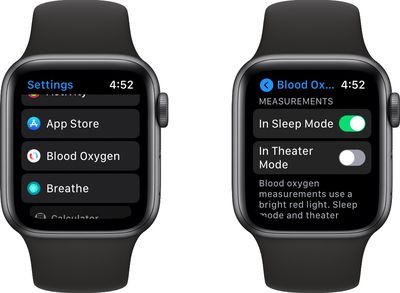
- Open up the Settings app on the Apple Watch.
- Scroll down and tap on the Blood Oxygen app.
- Scroll down and tap the toggle next to "In Theater Mode" to turn the feature on or off.
Enabling Automatic Blood Oxygen Readings During Sleep
As with Theater Mode, Apple has an option to disable blood oxygen readings when the Apple Watch is in Sleep Mode because the bright light might be distracting in the dark. Here's how to enable or disable readings for Sleep Mode.
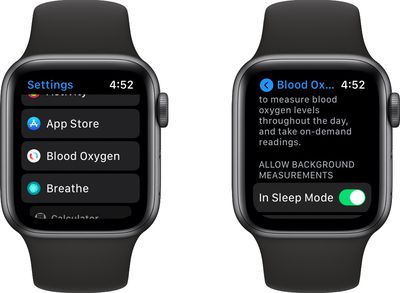
- Open up the Settings app on the Apple Watch.
- Scroll down and tap on the Blood Oxygen app.
- Scroll down and tap the toggle next to "In Sleep Mode" to turn the feature on or off.
Viewing Blood Oxygen Data
No blood oxygen data can be viewed on the Apple Watch outside of the reading that you just took if you have the app open. Historical data needs to be viewed on the iPhone, and it can be a little bit hard to find.
Here's the easiest way to get to your data.
- Open up the Health app on the iPhone.
- Tap on Browse at the bottom of the app.
- Tap on Vitals or at the top of the app, search for Blood Oxygen.
- Tap on the reading that comes up.
From here, you can see your average Blood Oxygen measurements by day, week, month or year, tapping on the chart to see specific information about each reading in day view or ranges for the other view options.
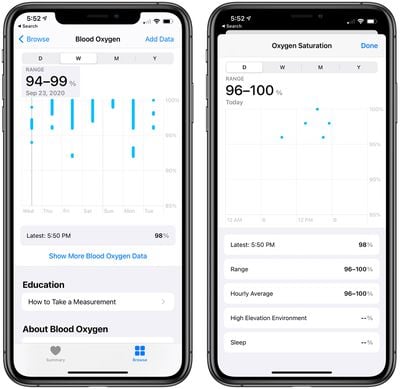
Tapping on "Show More Blood Oxygen Data" provides the latest reading, range over time, daily average, and readings in a High Elevation Environment or during sleep if those apply.
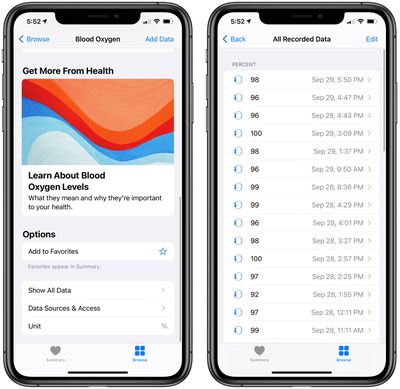
If you scroll all the way to the bottom of the app, there's a "Show All Data" option that you can tap to see all of the blood oxygen measurements that have been taken with specific information on date, barometric pressure, and more.
Turn Off Blood Oxygen Monitoring
Don't want to use blood oxygen monitoring at all? It can be disabled in the Settings app.
- Open up the Settings app on the Apple Watch.
- Scroll down and tap on the Blood Oxygen app.
- Tap on the toggle next to "Blood Oxygen Measurements" to turn the feature off.
If you want to reenable blood oxygen readings at a later date, just turn the toggle back on. It's enabled by default when you set up the Apple Watch, so the only reason you might need to enable it is if you've previously disabled it.
Blood Oxygen Troubleshooting
The sensors that measure oxygen level in the blood on the Apple Watch are highly sensitive and the reading will fail even if there's minor movement. If you're frequently getting an "Unsuccessful Measurement" warning, make sure to follow these steps.
- Hold your wrist flat and face up, with your fingers also resting open. Blood oxygen measurements will not work if the arm is hanging down or if your fingers are in a fist.
- Make sure the Apple Watch is snug against the wrist with a band that fits well and is not too loose or too tight.
- Make sure the Apple Watch is flat against the wrist and not impeded by the wrist bone. If it is over the wrist bone, adjust the positioning of the watch.
- For more stability, put your wrist on a table or flat surface such as your lap.
- Minimize all movement for 15 seconds. The stiller you are, the better.
- Don't tap or otherwise engage with the Apple Watch. A tap on the screen or touching the Digital Crown can cause minute movement that disrupts the reading.
If you're following all of the above steps and are still having trouble, Apple warns that there are a few scenarios that can cause poor readings.
- Tattoos - Dark tattoos in the area where the sensors are located can cause the light that shines through the skin to measure oxygen level to fail to work properly. There's no fix for this, unless there's a non-tattooed wrist area available. Note that lighter tattoos may not interfere with the sensor, and it may also work with those that leave a good amount of skin visible.
- Cold weather - If it's cold outside, it can affect how much blood flows through your arm at any given time, which in turn can cause blood oxygen measurements to fail.
- Skin perfusion - Regardless of weather, sometimes the blood flowing through the skin is slower, and this can vary significantly from person to person. Skin perfusion is a factor in how well the blood oxygen measurements work.
- High heart rate - If your heart rate is above 150 beats per minute at rest, the blood oxygen measurement feature will not work.
- Motion - As mentioned above, blood oxygen measurements tolerate little to no motion at all, and arm position is a factor. Hold the arm straight with your fingers out and try not to move if you're having issues.
Guide Feedback
Have questions about blood oxygen monitoring on Apple Watch Series 6 or want to offer feedback on this guide? Send us an email here.