

Apple this week debuted iOS 13 with a ton of updates, including a new dark mode option, major performance improvements, faster Face ID, simpler photo editing tools and a new Photos interface, a Sign In With Apple Privacy feature, a swipe-based keyboard, and tons more.
In addition to these features that made it into Apple's keynote event, there are dozens if not hundreds of smaller hidden features that are included in iOS 13. Below, is our comprehensive list new and notable "hidden" features in iOS 13.
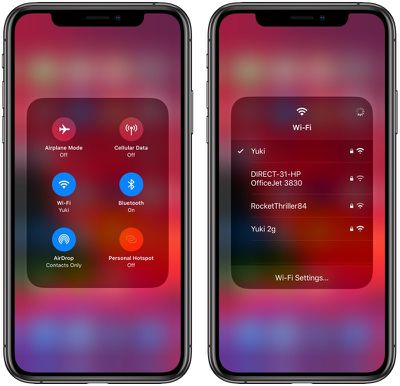
Wi-Fi Options in Control Center
You can change WiFi networks right from Control Center, but it's a bit annoying to get to. Long press in the middle of the WiFi/Bluetooth widget to bring up the extended options, and then Force Touch the WiFi icon to see a list of networks available.
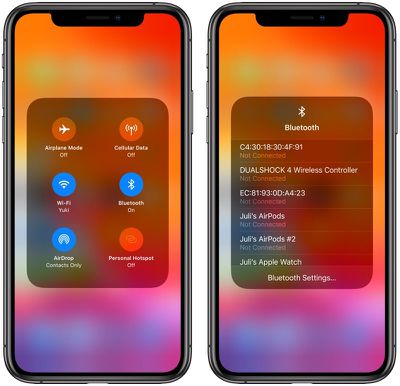
Bluetooth Options in Control Center
As with Wifi, you can access your list of available Bluetooth devices from the Control Center. Long press in the middle of the WiFi/Bluetooth widget to bring up the extended options and then Force Touch on the Bluetooth icon to see a list of Bluetooth devices you've connected to before.
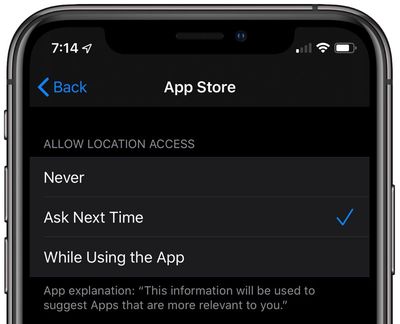
Location Settings
Apple mentioned during the keynote that location access is getting scaled back in iOS 13, and in the Settings app, there's a new option that requires an app to ask each time it wants to access your location.
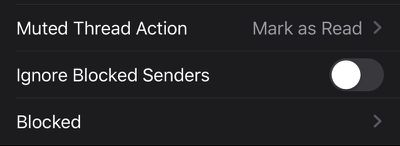
Block Senders in Mail
In iOS 13, your list of blocked phone numbers and contacts extends to the Mail app, which lets you block people from sending you mail. The Settings app has a feature for blocking contacts in Mail and ignoring blocked senders.
Thread Muting in Mail
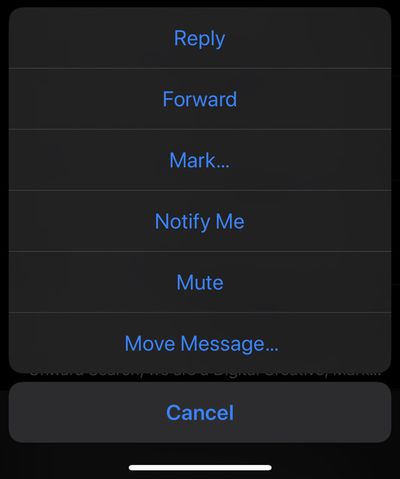
If you swipe on a message in the Mail app and then choose "More," there's a new option to mute a thread so you won't get notifications when a new email in that thread is received.
Reading Goals in Books
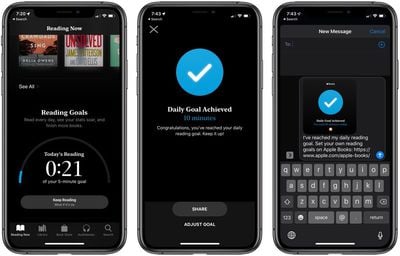
In the Books app, there's a new Reading Goals feature that keeps track of how long you've read each day. The app encourages you to read every day, see your stats soar, and finish more books.
Silence Unknown Callers
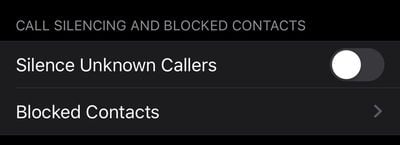
In the Phone section of the Settings app, there's a new toggle that will let you block all unknown callers, cutting down on spam calls that you're receiving.
Low Data Mode
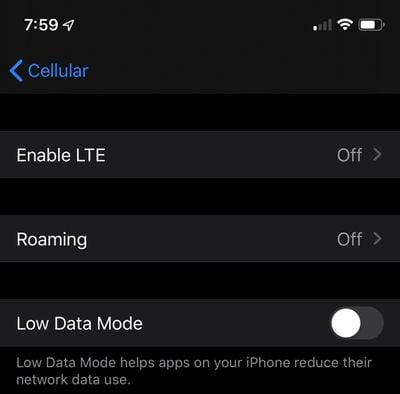
In the Settings app under Cellular, there's an option to enable Low Data Mode, which says it helps apps on your iPhone reduce their network data use. There's also a Low Data Mode option that can be enabled for specific WiFi networks.
Improved Messages Search
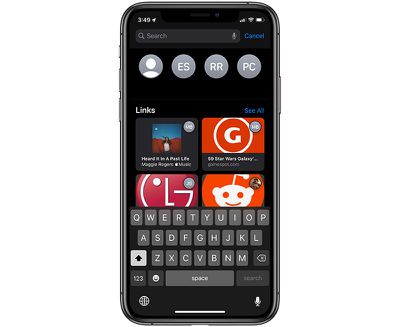
In the Messages app, when you swipe down to search, you'll see a new interface with suggested contacts and links you've been sent. Searches bring up the most recent results, with an option to see more by tapping "See All."
Notes Folder Management
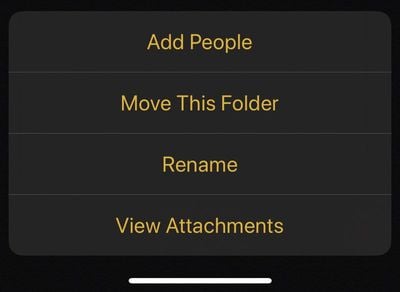
In the Notes app in iOS 13, there are new tools for managing your folders. Tap the "..." button to get to options like Add People, Move This Folder, Rename, and View Attachments.
PS4/Xbox Controller Support
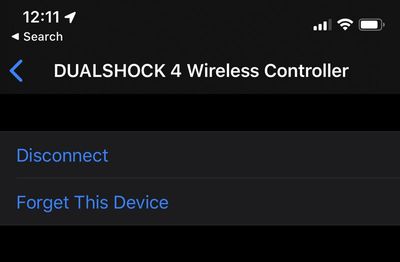
Apple announced PS4/Xbox One S controller support for Apple TV, but these controllers will also be supported on iPhone and iPad.
New Animoji
There are three new Animoji in iOS 13: a cow, an octopus, and a mouse. As mentioned on stage, there are also tons of new accessories for your Memojis, and there are new Memoji stickers you'll see available in the emoji portion of the iOS keyboard.

Separate Emoji and Globe Keys
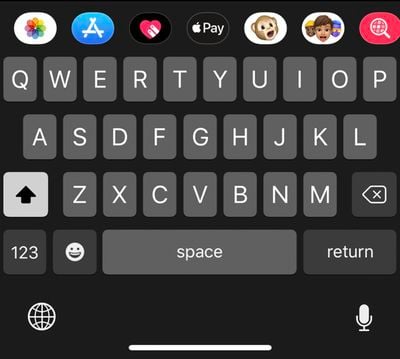
The emoji key on the iOS keyboard is no longer the same key as the globe key that lets you switch between languages. The emoji key lives next to the number key and the globe is now below. In iOS 12, a long press swapped between functions of the all-in-one key.
Automatic Safari Tab Closing
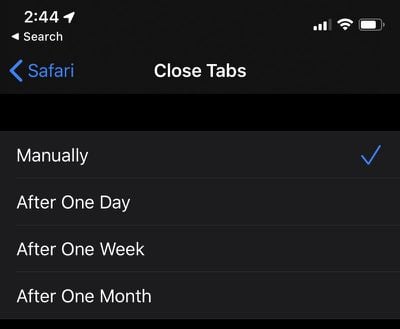
In the Safari section of the Settings app, there's a new option to automatically close all of the tabs that you have open in Safari. You can set it to a day, a week, a month, or leave it on manual, which is how it currently works.
Attachments in Calendar
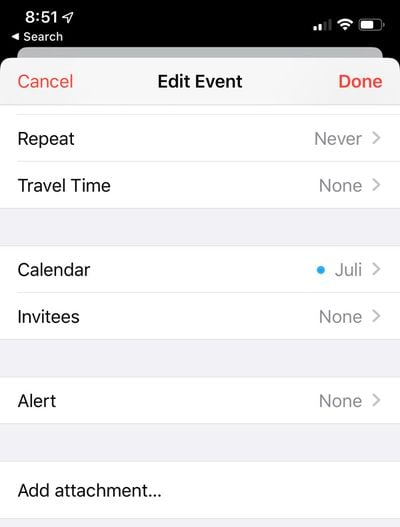
You can now add attachments like documents to events you have scheduled in the calendar app.
App Updates
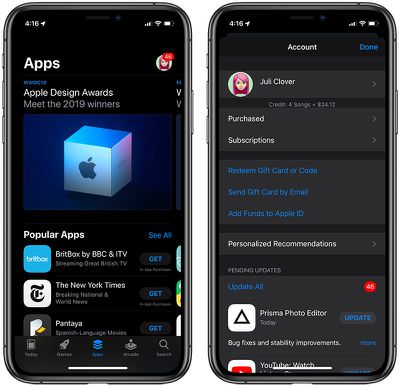
To update apps in iOS 13, you need to open up the App Store, tap on your profile and choose apps from the Pending Updates section. There was an updates tab in iOS 12, but it's been removed in favor of an Apple Arcade tab in iOS 13.
Safari Screenshots
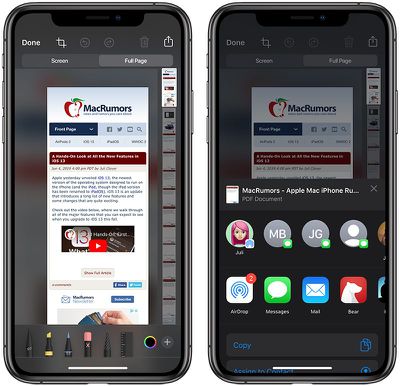
When you take a screenshot in Safari, there's a new option to save it as a full page, which exports the entire webpage as a PDF that you can save or share. You can also use Markup to edit it before sending.
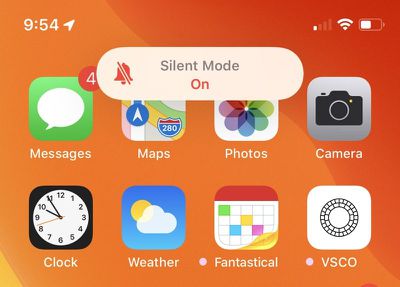
Updated Mute Switch Interface
When you toggle on the mute switch on the iPhone in iOS 13, there's a new interface that lets you know whether Silent Mode is on or off. It's located at the top of the display, replacing the former notification that popped up in the middle of the display.
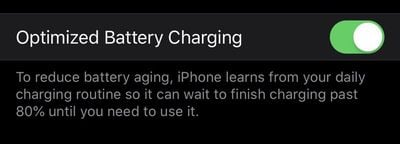
Optimized Battery Charging
A new iOS 13 feature introduces Optimized Battery Charging. According to Apple, the iPhone learns from your daily charging routine and waits to finish charging past 80 percent until you need to use it, which is meant to cut down on battery aging.
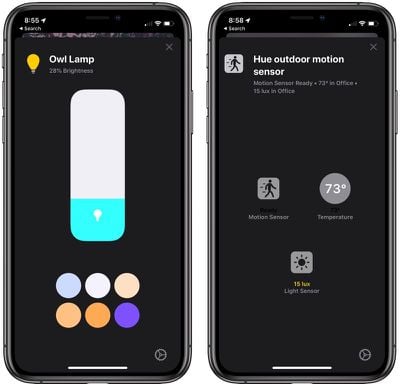
Home App Improvements
The control options for your HomeKit devices in the Home app have been revamped and streamlined. Available controls vary by device, but in general, the change makes options you check or use frequently (such as various light colors) easier to access. Controls are also now shown in a card-style view so you can swipe them away to get back to the main Home app screen.
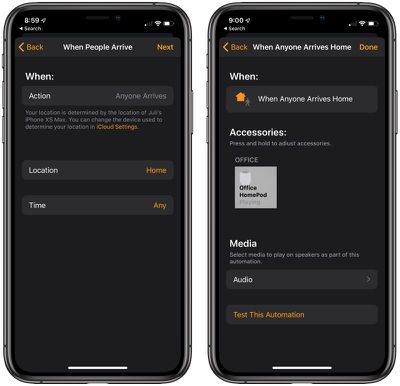
AirPlay 2 Devices in HomeKit Automations
You can now use AirPlay 2-enabled devices in HomeKit automations. So you can do things like set music to play when you arrive home.
Photos Zoom
In the Photos app, there's a new +/- symbol at the top that, when tapped, lets you zoom in and out of your Photos tab. You can also zoom in and out using pinch gestures.

Business Chat Suggestions
When calling a business that offers business chat, your iPhone will offer to start a business chat instead so you can interact with a business from a text message instead of through a phone call.
Time Synced Lyrics in Apple Music
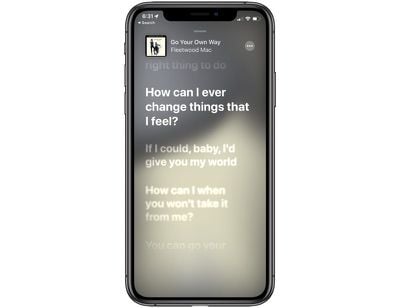
When accessing the lyrics for an Apple Music song, they're now presented synced to the music, so the lyrics will scroll along as the song progresses. Lyrics can be accessed by tapping the new lyrics icon at the bottom of any song interface.
Up Next in Apple Music
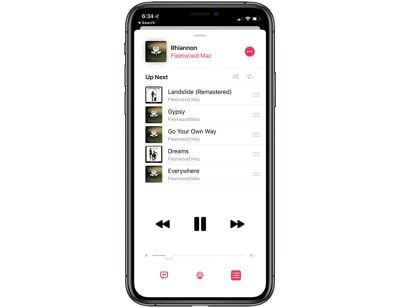
There's a new toggle when playing any Apple Music song that lets you see exactly what's up next so there's no mystery as to what's going to play after the current song.
Apple News+ in Stock App
The Stock app will now offer relevant business publications from Apple News+.
Voice Memos
A new pinch to zoom gesture in the Voice Memos app lets you zoom in on the waveform to make editing easier.
Do Not Disturb
Do Not Disturb While Driving will not activate in iOS 13 when you're using public transit.
Peek Gestures
Peek gestures, that let you see previews of emails, links, messages, and more, are now available on any iPhone or iPad that runs iOS 13 or iPadOS. These were previously limited to devices with 3D Touch.
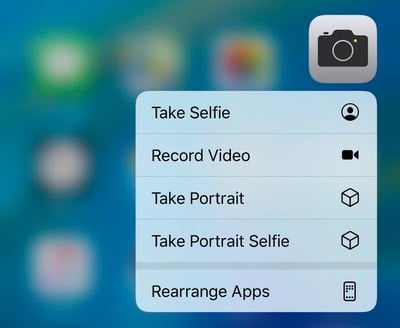
Quick Actions
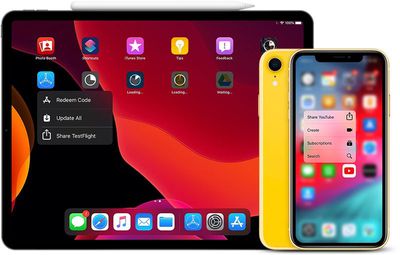
You can now press and hold on an app icon to quickly perform actions specific to the app on any device, iPhone or iPad. This too was previously limited to devices with 3D Touch.
Dolby Atmos Playback
2018 iPhones and iPads support Dolby Atmos video playback in iOS 13.
Personal Hotspot Sharing
If you have Family Sharing enabled, your family members can automatically join your personal hotspot in iOS 13.
Automatic Personal Hotspot
You can automatically connect to your iPhone's personal hotspot when no internet connection is available, and there's an option to remain connected even when your device is asleep so you can continue to receive messages and push notifications.
Popular WiFi Networks
In iOS 13, your iPhone detects which WiFi networks are being used and lets you know if one is available.
Delete Apps From Update Screen
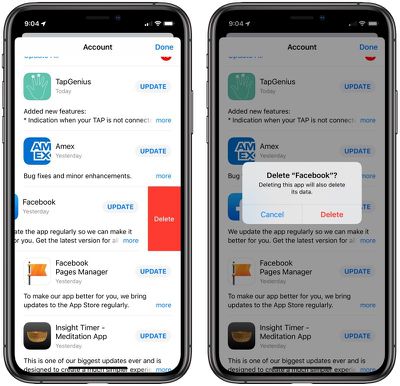
In the App Store, you can now delete apps from the list of apps to be updated by swiping to the left on them.
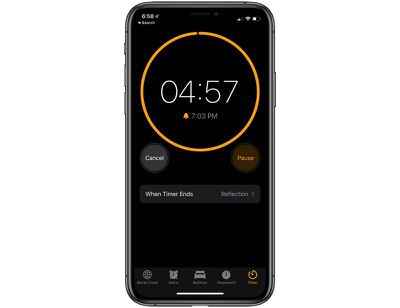
Timer
The Timer feature in the Clock app has been updated with a new interface in iOS 13. When a timer is counting down, there's a new circle that slowly depletes, along with the standard timed countdown.
New Volume HUD
There's a new look for the volume interface in iOS, which is designed to be less obtrusive. It's a bar on the left side or top side of the display, which shrinks down as you continue to press the volume up or down buttons. What's neat is that you can also touch the bar with a finger to adjust sound with a swipe in addition to using the physical volume buttons.
Haptic Feedback for Face ID
Haptic Feedback for Face ID will cause your phone to vibrate slightly when it unlocks in iOS 13. It can be enabled by going to Settings > Accessibility > Face ID & Attention.
NFC Tags
In iOS 13, iPhones are able to read a wider range of NFC tags. Japan's national identity cards will support the iPhone through a government developed app, and Germany will also allow Apple users to load their national ID cars, residence permits, and biometric passports onto their iPhones using NFC.
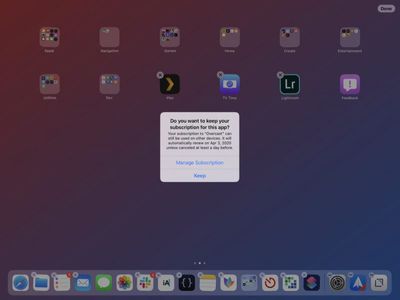
Canceling Apps With Subscriptions
When deleting an app that you have a subscription to, in iOS 13, you'll get a warning that the subscription is still active so you can make sure to cancel before deleting it. The warning includes options to manage your subscription.
Quick Actions Menu Size
The menu that pops up when using a Quick Action is also smaller in size with less obtrusive icons that have also been relocated to the right side of the menu interface.
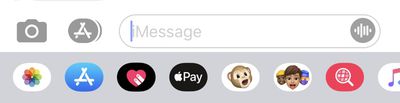
Voice Messages
When using the option in Messages to record a voice-based message, there's a new icon for the option. It's now a waveform rather than a microphone icon.
Note that almost all of these features are also available in the iPad and are part of Apple's new iPadOS operating system.
For more on what's new in iOS 13, make sure to check out our full iOS 13 roundup. We'll be adding to the hidden tips and tricks list over the course of the coming months, keeping a catalog of the new features and changes added to iOS 13 during the beta testing process. Know of an iOS 13 feature we don't have in our guide or our roundup? Send us an email here.























