

iOS 14's biggest changes focus on the Home Screen, the App Library, redesigned compact interface for phone calls and Siri, Picture in Picture, the Translate app, and updated privacy protections, but Apple also improved many of its existing apps to add new features and functionality.
The Photos and Camera apps didn't get new designs, but received some notable changes like captions, navigation improvements, new shortcuts for capturing images, and more, with all of the new additions to the two apps outlined in the guide below.
Camera Performance and Shooting Speed
Apple in iOS 14 added speed and efficiency improvements to the Camera app. You can capture photos up to 90 percent faster, at up to four frames per second. The time it takes to get your first shot after opening the app is now 25 percent faster, and capturing portraits is 15 percent faster shot to shot.
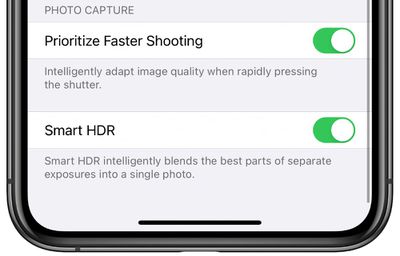
There's also a new "Prioritize Faster Shooting" toggle in the Camera section of the Settings app that adapts image quality when rapidly pressing the shutter so you can make sure you're not missing a shot due to processing times.
Expanded QuickTake Video Support
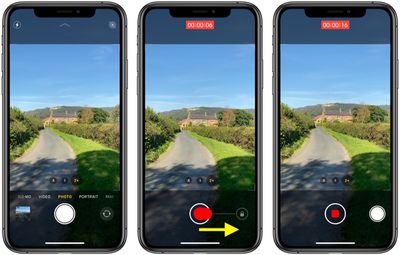
QuickTake in iOS 14 is now available on the iPhone XR, XS, and XS Max. Previously, it was limited to the iPhone 11, 11 Pro, 11 Pro Max, and SE (2020). QuickTake lets you hold down on the shutter button when in photo mode to capture a video without having to swipe over to video mode.
Volume Up/Down Burst Mode and QuickTake
It's long been possible to press the volume buttons to snap a photo when the Camera app is open, but this shortcut functionality is expanded in iOS 14. If you long press on the Volume Up button you can take a series of photos in quick succession, which is known as Burst Mode.
If you press and hold the Volume Down button you can activate QuickTake to capture video without having to take the time to go into video mode.
Video Mode Toggles
In the upper right corner of the Camera app, there are details on video quality and frames per second when in video mode. In iOS 14, you can tap in that corner to change the video mode rather than having to open up the Settings app to do so. This works in video mode and Slo-Mo mode.
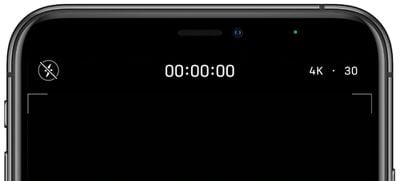
This was previously available on the iPhone 11 and 11 Pro, and in iOS 14 has expanded to all iPhones.
Exposure Adjustment and Night Mode Improvements
In the Camera section of the Settings app, if you tap on "Preserve Settings," you'll find a new toggle for "Exposure Adjustment." Exposure Adjustment preserves any tweaks you've made to exposure rather than resetting it from shot to shot so you can continue to take photos with your preferred exposure settings.
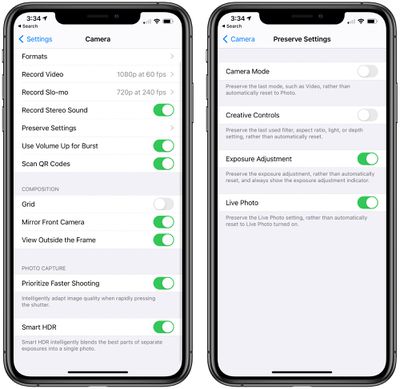
Toggling on Exposure Adjustment also ensures that the exposure adjustment indicator remains visible.
Apple is improving Night Mode for the iPhone 11 and iPhone 11 Pro, and when you take a Night Mode shot, the camera uses the gyroscope to offer up a guidance indicator to help you hold the iPhone steady. There's also a new option to cancel mid-capture rather than having to wait for the capture to finish.
Selfie Mirroring
When taking a selfie with an iPhone using the Camera app, it flips the image so that it's the opposite of the mirror image that's shown in the preview, which can be confusing. Because most social networking apps use mirrored selfies, many people are more accustomed to mirroring functionality than the flipped selfies that the iPhone uses.
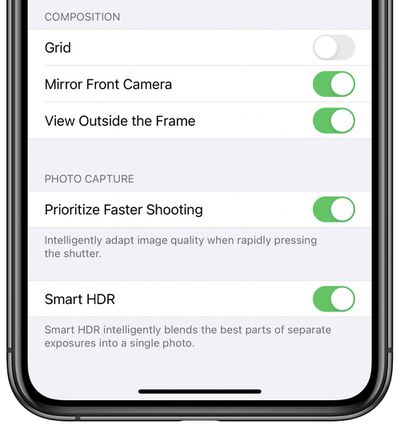
In iOS 14, you can use the new "Mirror Front Camera" toggle to cause the Camera app to take mirror image selfies where the finished product looks like the image preview. To enable the feature, open up the Settings app, select Camera, and toggle on "Mirror Front Camera."
Photo Captions and Filtering
The Photos app in iOS 14 supports captions so you can add additional context to your photos with the information you add synced across iOS and Mac.
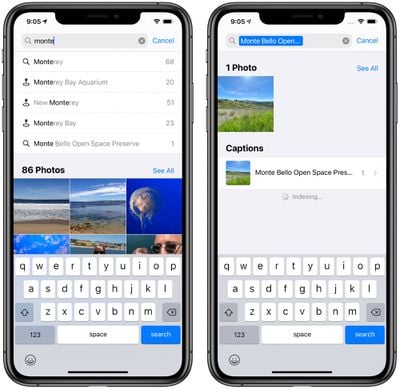
To add a caption to an image in the Photos app, just swipe up on any single photo you're looking at to see additional details and then tap on "Add a Caption" and type in whatever you want.
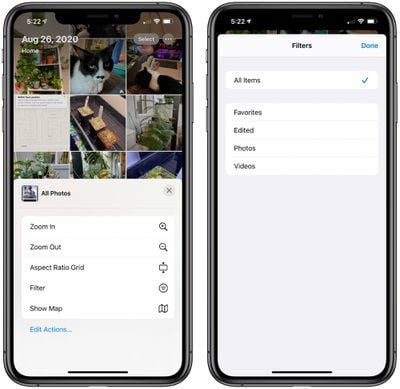
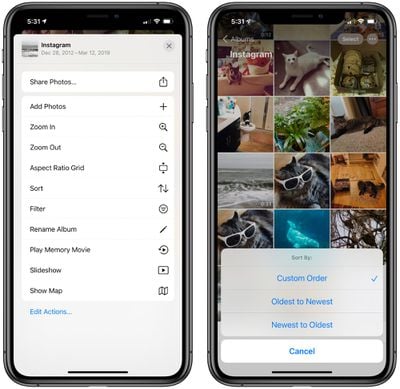
In the "All Photos" view, there's a "Filter" option where you can choose to display favorite photos, edited photos, all photos, or all videos. To get to the Filter options, tap the three dots in the upper right corner and select "Filter." You can also choose to change the Aspect Ratio Grid to show the photo sizes or stick with the square version.
- iOS 14: How to Add Captions to Your Photos on iPhone and iPad
- iOS 14: How to Filter Images in Your Photo Library on iPhone and iPad
Album Sorting and Hidden Album
In any album in the Photos app, you can tap the three dots in the right hand corner of the display to get to sorting and filtering options. Filter options work like above, but the sort option lets you sort by oldest photos or newest photos to make it easier to find what you're looking for.
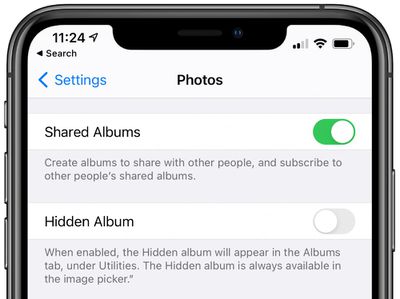
As for the Hidden album, there's a new option to hide it from the Albums list. In the Photos section of the Settings app, toggle on "Hidden Album." The album won't be available in the Photos app, but you'll still see it when you use the image picker in other apps.
- iOS 14: How to Conceal and Reveal the Hidden Album in Photos
- iOS 14: How to Sort Images and Videos in Apple's Photos App
Streamlined Navigation
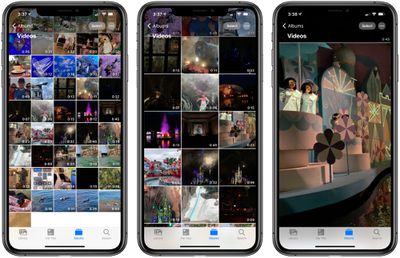
Pinch gestures to zoom in and out now work in the Albums, Favorites, Media Types, and Shared Albums sections of the Photos app, so you can easily zoom in and out to see everything in a given location. In iOS 13, the pinch zoom gesture to see more photos or photos that are larger was limited to the main Photos section.
Memories and Live Photos Improvements
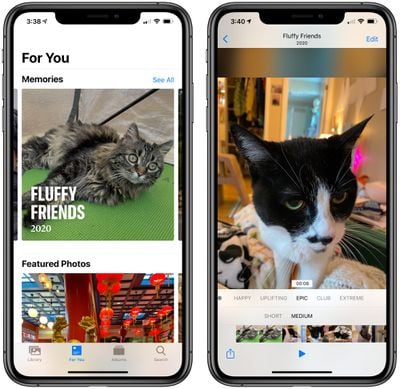
Apple in iOS 14 improved the Memories feature to show more relevant photos and videos, and there are a greater number of music tracks available to watch with photo slideshows. Apple says that the framing has also been improved when switching between horizontal and portrait orientations for better transitions.
Redesigned Image Picker
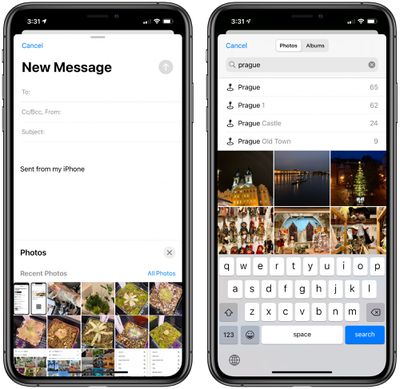
Throughout iOS 14, there's a new image picker wherever you use iOS to insert a photo into another app. The new version lets you select from albums or search for people, places, or photo contents, which makes it easier to find the exact photo you want to use.
Better Zoom
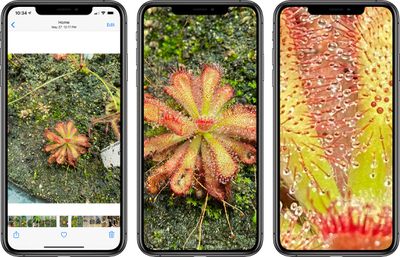
In iOS 14 you can use the pinch to zoom feature to zoom much further into photos than was possible in iOS 13, so you can see more of the detail in a photo.
Limited Photos Permissions
Apps that ask permission to access photos can now be provided with access to a limited number of images if you don't want to give blanket permission for an app to access your entire camera roll.
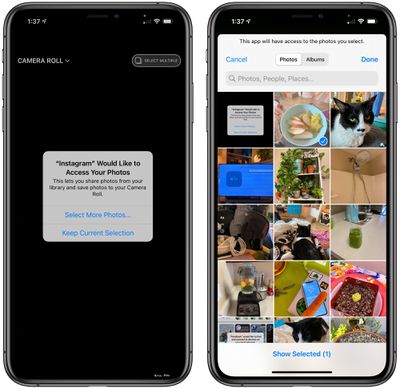
With the limited photos option, you can continually update the photos that are shared with the app, selecting just a couple at a time that you want to upload or edit.
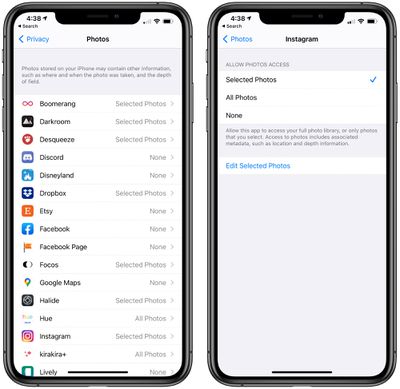
You will be asked about limited photos access whenever an app wants permission to use photos, and you can control which apps have access to all of your photos, limited photos, or no photos in the Privacy section of the Settings app under "Photos."
Guide Feedback
Have questions about the Camera and Photos features in iOS 14, know of something we left out, or or want to offer feedback on this guide? Send us an email here. If you want to know more about what's coming in iOS 14, make sure to check out our iOS 14 roundup.























