If you use an Apple Magic Keyboard with your iPad, you might be interested to know that Apple has added an optional setting in iPadOS 15.4, currently in beta, that allows you to adjust the brightness of the keyboard's backlighting.

To access the Keyboard Brightness option, you'll first need to add it manually to the Control Center. The following steps show you how.
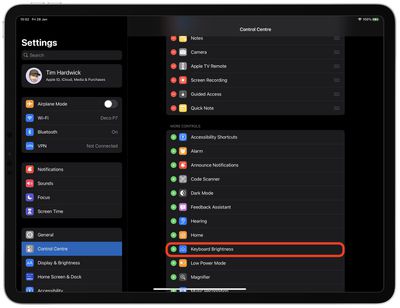
- Launch the Settings app on your iPad.
- Tap Control Center in the side column.
- Scroll down, and under "More Controls," tap the Keyboard Brightness setting to add it to Control Center.
Once you've followed the above steps, bring up the Control Center by swiping diagonally from the top corner of the iPad screen.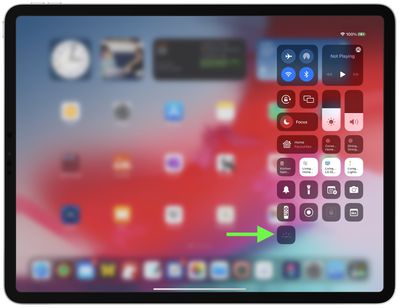
You'll see the Keyboard Brightness button in the overlay. Tap it, then drag your finger up or down the bar to adjust the brightness level of the backlighting on your Magic Keyboard.