

 In iPadOS, Apple's Split View and Slide Over multitasking features allow you to use one app alongside another app, or view two documents at the same time in the one app.
In the case of Safari, Split View or Slide Over can be used to reference two webpages side by side. You can even open a link in another window without navigating away from the original page. Here's how it works.
- Hold your iPad in landscape orientation.

- Launch Safari and find a webpage link that you want to open in a separate window.
- Touch and hold the link so that it pops out of the page, indicating it's selected.
- Now, drag the link to the edge of the screen, and either let go before it hits the edge to activate Slide Over, or drag it right to the edge to activate Split View mode.
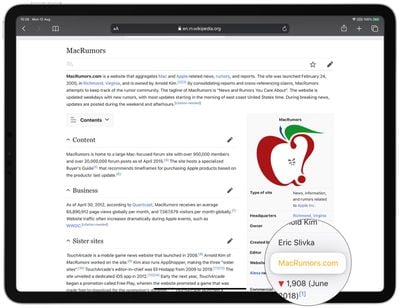
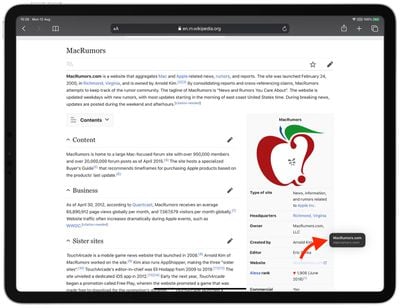

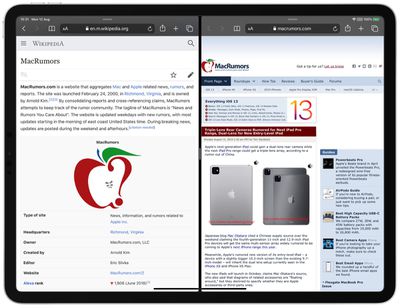
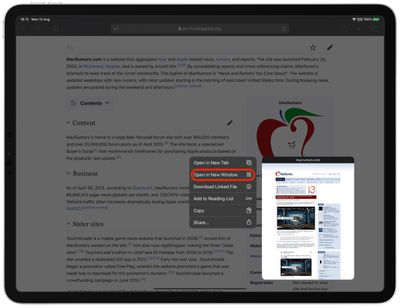
Note that you can also touch and hold a link to invoke a contextual menu which includes the option to Open in New Window.
In iPadOS, you can also open multiple separate windows in the same app and manage them in an Exposé-style screen. With the app already open, simply tap its icon in the Dock, and iPadOS will reveal all of the open windows for that app.
Tag: Safari
Related Forum: iOS 13





















