

Apple in the second macOS Catalina 10.15.5 beta added a new Battery Health Management feature for Macs, which is designed to prolong the battery life and battery health of modern Mac notebooks (aka those with Thunderbolt 3 ports) by reducing the rate of chemical aging.
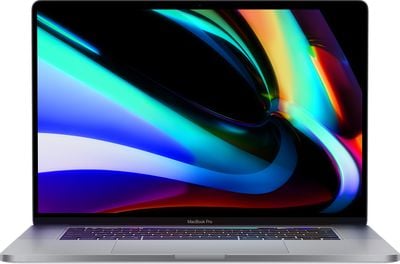
Battery Health Management is an intelligent feature that analyzes the battery status of a Mac notebook and its charging pattern, and based on this information, it may preserve battery health by not charging a MacBook to full capacity.
Charging a MacBook to 100 percent and then letting it sit plugged in without draining the battery through use can lead to reduced battery life, which is what Apple is aiming to avoid. Macs that are often used plugged in and with the battery full may have the Battery Management feature kick in to stop charging short of a full charge.
Battery Health Management is entirely opt-in and can be disabled for those who do not want to use the feature. Protecting battery health will be useful for most Mac users, but there may be some situations where Battery Health Management is not ideal, such as if you're about to leave the house and need maximum battery life, so it's worth knowing how to turn it off and on.
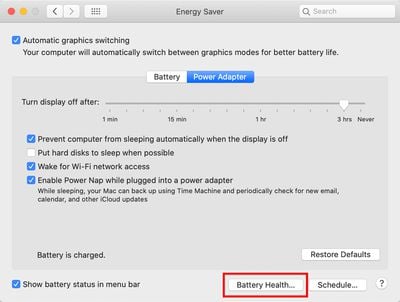
All Battery Health Management controls can be found in the Energy Saver section of System Preferences, as outlined below.
- Open the System Preferences app.
- Choose the Energy Saver section, which is denoted by a light bulb.
- Select the Battery Health section.

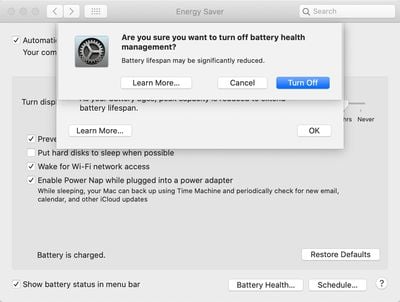
- Click the box next to Battery Health Management to deselect it.
- Click Turn Off to confirm.
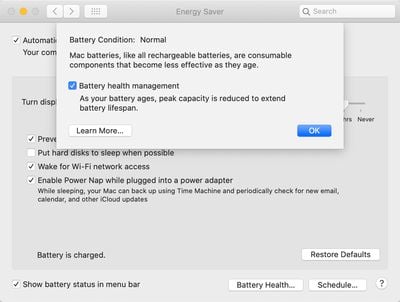
When upgrading to macOS Catalina 10.15.5, Battery Health Management will be enabled by default and will need to be manually turned off by those who don't want to use it.
macOS Catalina 10.15.5 is limited to developers at the current time, but will see a public release in the not too distant feature, bringing Battery Health Management to all users with a 2016 or later MacBook Pro and 2018 or later MacBook Air.






















Top Rated Comments
Crazy to think its 7 years old and still running fine.