

In iOS 14, Apple has greatly expanded the number of direct answers Siri can give you. The majority of these answers are thanks to enhanced web-based information, but some of it is also down to Siri's tighter integration with other Apple apps.

For example, Maps in iOS 14 has been updated to include cycling directions, and you can now ask Siri to provide you with cycling directions to a specific destination. Here's how it works.
- Invoke Siri on your iPhone or iPad with the usual "Hey Siri" voice command or through a physical button.
- Now say "Give me cycling directions to [destination]." If you use this wording, Siri will search for the directions based on your current location.
- When Siri opens the Maps app, tap Go to begin your turn-by-turn cycling navigation.
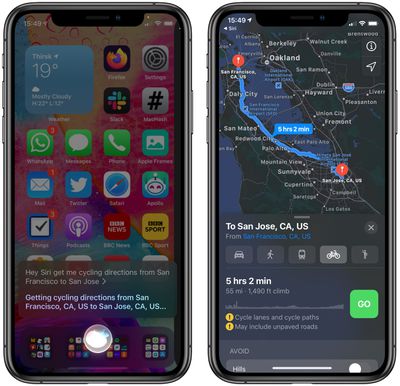
If you want, you can also use Siri to preview directions starting from a different starting location. You could say, for instance, "Give me cycling directions from San Francisco to San Jose." Either way, Siri will launch the Maps app for you with your desired navigation ready to go.





















