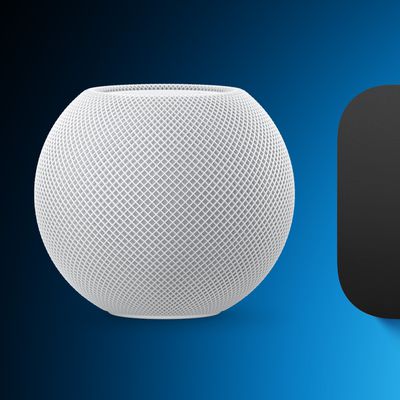
As a smart speaker, HomePod comes with built-in Siri support, so you can use it without ever touching it, but Apple did include a touch panel at the top of the device that supports several gestures.
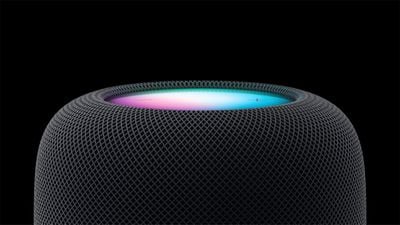
HomePod 2023
‌HomePod‌ gestures can activate ‌Siri‌, control the volume of what's playing, skip to the next song, pause/play and more. All of the touch gestures you can use with the ‌HomePod‌ are below.

Volume

Volume up - Tap on the "+" button to raise volume by one level, or touch and hold to increase the volume by several levels.

Volume down - Tap on the "-" button to lower the volume by one level, or touch and hold to decrease the volume by several levels.

Playback

Pause or resume playback - Tap in the middle of the ‌HomePod‌ to pause your music and tap it again to unpause.

Go to the next track - When a song is playing, double tap in the middle of the ‌HomePod‌ to skip a song.

Replay the previous track - When a song is playing from a playlist or an album, triple tap in the middle of the ‌HomePod‌ to go back to the previous song that was playing.

Siri

To activate ‌Siri‌, place a place a finger on the top of the ‌HomePod‌ and hold it there until the visual ‌Siri‌ waveform appears. From there, you can speak your ‌Siri‌ command.

Other Available Gestures

Dismiss an alarm - If an alarm is going off on the ‌HomePod‌, tap in the middle of it to stop it.

Activate VoiceOver - If you have VoiceOver enabled in the Accessibility settings, double tap to activate it. With VoiceOver enabled, all other gestures will require one extra tap, so pausing, for example will require two taps.

End a call - When using your HomePod as a speakerphone, you can end a call by tapping on the green light on top of the ‌HomePod‌.

Switch calls - If you're using ‌HomePod‌ as a speakerphone on a call and a second call comes in, you can touch and hold on the green light to put a hold on call. Switch between calls by double tapping.


Related Roundups: HomePod, HomePod mini

Top Rated Comments

myscrnnm Avatar
103 months ago
Am I the only one who finds these controls unintuitive and confusing? They put a display on the top of the HomePod. Why not just utilize a proximity sensor to display context-specific controls when you approach the device?
Score: 5 Votes (Like | Disagree)
Polaroid Avatar
103 months ago
Am I the only one who finds these controls unintuitive and confusing? They put a display on the top of the HomePod. Why not just utilize a proximity sensor to display context-specific controls when you approach the device?
Pretty sure you are the only one lol. Apple has used these controls for years on the headphones and iPods.... simple enough.
Score: 4 Votes (Like | Disagree)
Brookzy Avatar
103 months ago
I get that they are the same controls but I'm with you... why not just have some of the options on the display? I feel the display is not used at all... Such a beautiful display and all it does is display + and - I mean really?
It isn’t really a display, it’s just a small LED array in the centre, covered by a panel that blurs the light to make it look like a nice glowing orb.

The volume controls are simply one LED each.

So only a very small area of the top of the HomePod has the potential to illuminate, and even then it can only display vague shapes and colours rather than symbols.

(Fun fact: I noticed today that there must be an ambient light sensor hidden somewhere because the brightness of the volume controls changed to the room lighting. That’s a really nice touch!)
Score: 3 Votes (Like | Disagree)
Arran Avatar
103 months ago
It isn’t really a display, it’s just a small LED array in the centre, covered by a panel that blurs the light to make it look like a nice glowing orb.

The volume controls are simply one LED each.

So only a very small area of the top of the HomePod has the potential to illuminate, and even then it can only display vague shapes and colours rather than symbols.

(Fun fact: I noticed today that there must be an ambient light sensor hidden somewhere because the brightness of the volume controls changed to the room lighting. That’s a really nice touch!)
You're right. On close inspection it's not a screen at all. Just a few colored LEDs and a diffuser.

That's a bit limiting. I was secretly hoping a future software upgrade might support coverflow. I like visuals. No chance of that happening now.
Score: 2 Votes (Like | Disagree)
Arran Avatar
103 months ago
...Apple has used these controls for years on the headphones and iPods.... simple enough.
True, but that was through necessity: There was only one mechanical button, so it was necessary to learn morse code click combinations.

That all seems inappropriate on a device with a big color touchscreen. And since this is a shared device intended for common areas, what if your houseguests don't know about the secret click combos? Seems user-hostile. Seems like a wasted opportunity.
Score: 2 Votes (Like | Disagree)
Beerstalker Avatar
103 months ago
True, but that was through necessity: There was only one mechanical button, so it was necessary to learn morse code click combinations.

That all seems inappropriate on a device with a big color touchscreen. And since this is a shared device intended for common areas, what if your houseguests don't know about the secret click combos? Seems user-hostile. Seems like a wasted opportunity.
I agree, seems like they could have easily had Skip Forward and Skip back on the North/South portions of the screen (assuming you consider +/- the East and West) and Play/Pause as one button in the center.

I also wish they would have used the standard figure 8 power cable like they do on the Apple TV, Airport Express, Airport Extreme, etc. Would have been nice to be able to buy a shorter cable so I don't have 4' of it wrapped up in a coil next to the speaker on my kitchen counter.

That said I am pretty impressed with the sound and am overall happy with it. I probably won't bother buying any more until I see what kind of firmware updates are made etc. Then I could see picking up a couple more for my kids' rooms. Would also be nice if they made a bit smaller/cheaper version better suited for bathrooms etc.
Score: 1 Votes (Like | Disagree)

Popular Stories

Apple Wallet ID Illinois

Apple Plans to Expand iPhone Driver's Licenses to These 7 U.S. States

Wednesday December 24, 2025 8:40 am PST by
In select U.S. states, residents can add their driver's license or state ID to the Apple Wallet app on the iPhone and Apple Watch, and then use it to display proof of identity or age at select airports and businesses, and in select apps. The feature is currently available in 13 U.S. states and Puerto Rico, and it is expected to launch in at least seven more in the future. To set up the...
iPhone Top Left Hole Punch Face ID Feature Purple

iPhone 18 Pro Launching Next Year With These 12 New Features

Tuesday December 23, 2025 8:36 am PST by
While the iPhone 18 Pro and iPhone 18 Pro Max are not expected to launch for another nine months, there are already plenty of rumors about the devices. Below, we have recapped 12 features rumored for the iPhone 18 Pro models. The same overall design is expected, with 6.3-inch and 6.9-inch display sizes, and a "plateau" housing three rear cameras Under-screen Face ID Front camera in...
iOS 26

iOS 26.2 Adds These 8 New Features to Your iPhone

Monday December 22, 2025 8:47 am PST by
Earlier this month, Apple released iOS 26.2, following more than a month of beta testing. It is a big update, with many new features and changes for iPhones. iOS 26.2 adds a Liquid Glass slider for the Lock Screen's clock, offline lyrics in Apple Music, and more. Below, we have highlighted a total of eight new features. Liquid Glass Slider on Lock Screen A new slider in the Lock...
maxresdefault

Where's the New Apple TV?

Monday December 22, 2025 11:30 am PST by
Apple hasn't updated the Apple TV 4K since 2022, and 2025 was supposed to be the year that we got a refresh. There were rumors suggesting Apple would release the new Apple TV before the end of 2025, but it looks like that's not going to happen now. Subscribe to the MacRumors YouTube channel for more videos. Bloomberg's Mark Gurman said several times across 2024 and 2025 that Apple would...
maxresdefault

10 Mac Apps Worth Trying in 2026

Wednesday December 24, 2025 9:27 am PST by
2026 is almost upon us, and a new year is a good time to try out some new apps. We've rounded up 10 excellent Mac apps that are worth checking out. Subscribe to the MacRumors YouTube channel for more videos. Alt-Tab (Free) - Alt-Tab brings a Windows-style alt + tab thumbnail preview option to the Mac. You can see a full window preview of open apps and app windows. One Thing (Free) -...
Foldable iPhone 2023 Feature Iridescent Search

Samsung Developing 'Wide Fold' With iPhone Fold-Like Design Ahead of Apple's 2026 Launch

Tuesday December 23, 2025 11:55 am PST by
Samsung is working on a new foldable smartphone that's wider and shorter than the models that it's released before, according to Korean news site ETNews. The "Wide Fold" will compete with Apple's iPhone Fold that's set to launch in September 2026. Samsung's existing Galaxy Z Fold7 display is 6.5 inches when closed, and 8 inches when open, with a 21:9 aspect ratio when folded and a 20:18...
iOS 26

iOS 26.3 Brings AirPods-Like Pairing to Third-Party Devices in EU Under DMA

Monday December 22, 2025 3:20 pm PST by
The European Commission today praised the interoperability changes that Apple is introducing in iOS 26.3, once again crediting the Digital Markets Act (DMA) with bringing "new opportunities" to European users and developers. The Digital Markets Act requires Apple to provide third-party accessories with the same capabilities and access to device features that Apple's own products get. In iOS...
iphone fold 3d print

Have a 3D Printer? You Can Make Your Own iPhone Fold Dummy

Tuesday December 23, 2025 1:31 pm PST by
Apple is working on a foldable iPhone that's set to come out in September 2026, and rumors suggest that it will have a display that's around 5.4 inches when closed and 7.6 inches when open. Exact measurements vary based on rumors, but one 3D designer has created a mockup based on what we've heard so far. On MakerWorld, a user named Subsy has uploaded a 1:1 iPhone Fold replica (via Macworld), ...
iPhone Fold Vertical Feature

Why Apple's Foldable iPhone May Be Smaller Than Expected

Tuesday December 23, 2025 5:21 am PST by
Apple's first foldable iPhone, rumored for release next year, may turn out to be smaller than most people imagine, if a recent report is anything to go by. According to The Information, the outer display on the book-style device will measure just 5.3 inches – that's smaller than the 5.4-inch screen on the ‌iPhone‌ mini, a line Apple discontinued in 2022 due to poor sales. The report has led ...