How to Locate an AirTag in Find My on iPhone - MacRumorsOpen MenuShow RoundupsShow Forums menuVisit ForumsOpen Sidebar
Skip to Content

How to Locate an AirTag in Find My on iPhone

by

Apple's AirTags are small, button-shaped devices that are designed to be attached to items like keys and wallets to allow these accessories to be tracked using Bluetooth right alongside Apple devices in the Find My app.
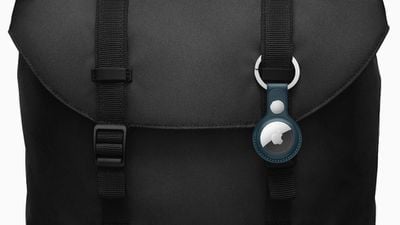
Apple airtag accessories bag 042021 big carousel
If you've just set up a new AirTag, you'll want to know how to track it so that you can locate the attached item, should you misplace it. If your iPhone or iPad is running iOS 14.5/iPadOS 14.5 or later, you can use the ‌Find My‌ app to locate a missing AirTag that's linked to your Apple ID. Here's how.

How to View the Location of an AirTag Item

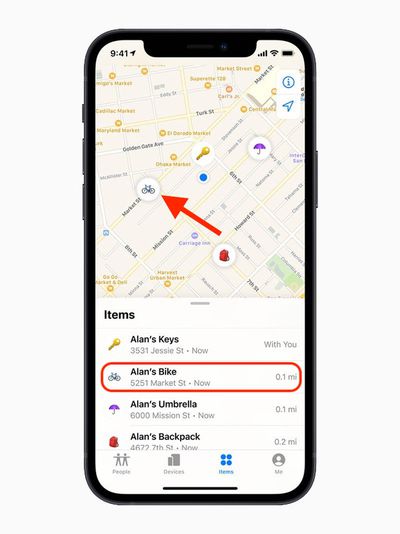
In the Find My app, tap Items, then tap the item that you want to locate.

  • If the item can be located, it will appear on the map. You'll see the updated location and timestamp under the item's name.
  • If the item can't be found, you'll see where and when it was last located. To receive a notification once it's located again, turn on Notify When Found under "Notifications."
    find my

How to Make an AirTag Play a Sound

If an ‌AirTag‌ is nearby, you can get it to play a sound so that you can locate it easier.

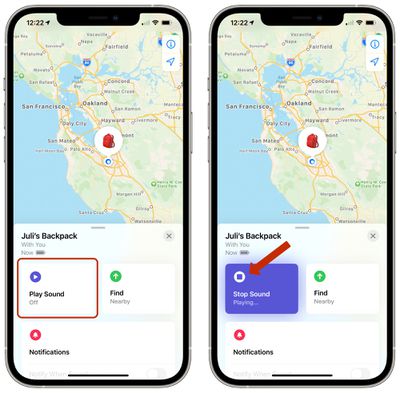
  1. In the Find My app, tap Items.
  2. Tap the ‌AirTag‌ that you want to play a sound. airtags play sound
  3. Tap Play Sound.

To stop playing the sound before it automatically ends, tap Stop Sound.

You can also get map directions to an item's current or last known location, and if you have a supported iPhone and are near your ‌AirTag‌, you can find its precise location.

Related Roundup: AirTag
Buyer's Guide: AirTag (Buy Now)

Top Rated Comments

64 months ago
Need to be able to share a tag, so my wife can track it too. Seems obvious for car keys!
Score: 6 Votes (Like | Disagree)
64 months ago
Find My has to be the worst app name apple came up with ever
Score: 4 Votes (Like | Disagree)
64 months ago

Need to be able to share a tag, so my wife can track it too. Seems obvious for car keys!
Yeah they need to make AirTags work better with Family Sharing.
Score: 3 Votes (Like | Disagree)
Knightcastle Avatar
64 months ago
Thanks for sharing this. It’s fairly top level/pro-user stuff though, I’m not sure I’ve completely followed.

To stop playing the sound I’m pressing Stop Sound? Is that right?
Score: 3 Votes (Like | Disagree)
64 months ago
I’ve found a potential major flaw with the AirTag. If the magnet in the speaker sticks to a metal item, the speaker feature on the AirTag is rendered almost useless. A chain on my keys got magnetically attached to the white part of the AirTag and I went to play the chime and I could barely hear it play. Most people will attach their AirTag to their metal keys and might have this same problem.
Score: 2 Votes (Like | Disagree)
64 months ago
So, I guess my question is... why does my phone need to be in a well-lit area for it to track?
Score: 1 Votes (Like | Disagree)
Related Apple News: Opinion | Business | Iphone | Entertainment | Mac