

In iOS 16, Apple has brought some welcome feature additions to its stock Messages app. One of these features is the ability to mark a message as unread. Keep reading to learn how it works.
Email programs have long given users the ability to mark messages as unread. The feature is considered useful because it means if you get a message and don't have time to read it or address its contents, you can mark it as unread so that it appears as a new message again.
In iOS 16, Apple is finally bringing the same feature to its Messages app, so you can mark an SMS message or iMessage as new, thereby returning the blue dot to the message to remind you to return to it.
Here's how you mark a Message as unread on an iPhone or iPad running iOS 16 or iPadOS 16.
- Open the Messages app, and find the message in the conversations list that you want to mark as unread.
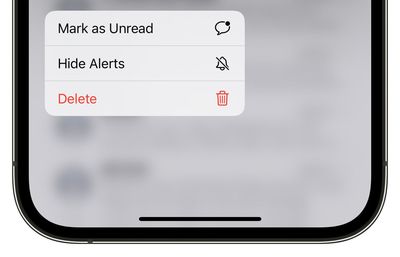
- Long press on the message in the conversations list.
- Tap Mark as Unread from the pop-over menu.

That's all there is to it. Did you know that you can also edit iMessages in iOS 16? Check out our dedicated how-to to learn how.





















