For the controls on its AirPods Max over-ear headphones, Apple took a leaf out of its Apple Watch design manual and added a rotatable Digital Crown on the top of the right-hand earcup.
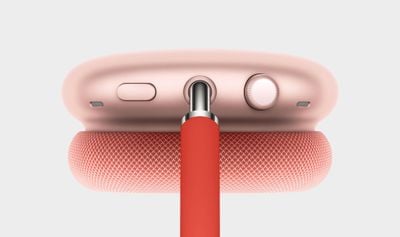
The larger Digital Crown on the AirPods Max is used to control the volume of the headphones' output, but depending on your muscle memory and sense of direction, it's easy to accidentally turn the volume level up when you meant to turn it down.
Fortunately, there are options built in to iOS 14 and later that allow you to reverse the dial direction on the Digital Crown and hence the volume controls. The steps below explain how to get to them on your iPhone or iPad.
- Make sure the AirPods Max headphones are connected to your iOS device.
- Launch the Settings app on your iPhone or iPad.
- Tap Bluetooth.
- Tap the Info (i) button next to the name of your Airpods Max headphones.
- Scroll down and tap Digital Crown.
- Under "Increase Volume By Rotating," choose either Back to Front or Front to Back.
The change should take effect immediately, and with a bit of luck you won't blast your eardrums with high-volume sound or vice versa when you intended the very opposite.