

When you finish an Apple Fitness+ workout, Apple provides a summary that shows an overview of the workout time, active calories burned, total calories burned, and your average heart rate, but you may want to see these metrics in more detail at a later date.
Luckily, they're all saved in the Fitness app. Here's how to access them:
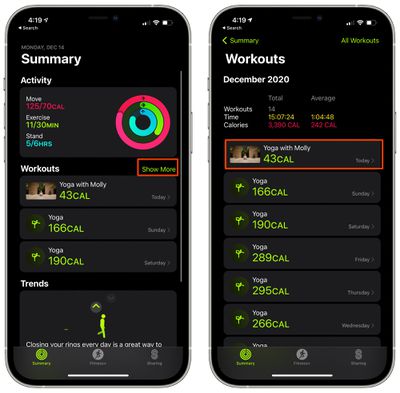
- Open up the Fitness app on iPhone (this was previously the Activity app).
- Under "Workouts" tap "Show More."

- Tap the workout that you want to see in more detail.
The workout summary will display info on which video you completed, the time in which it was completed, the total calories burned, active calories burned, average heart rate, and heart rate recovery, complete with a heart rate graph over time.
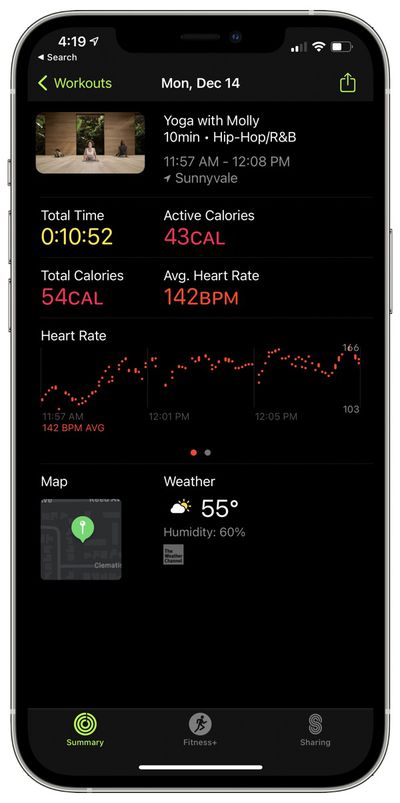
It will also list the current temperature outside, the humidity, and the location where the workout was completed, which is the same information that you get for any workout recorded in the Fitness app.
For more on Fitness+, make sure to check out our full Fitness+ guide.





















