

Most iPhone and iPad users enjoy sharing media with each other over Messages, and in iOS 15, Apple has acknowledged this popularity by adding a new section in the Photos app called Shared with You.
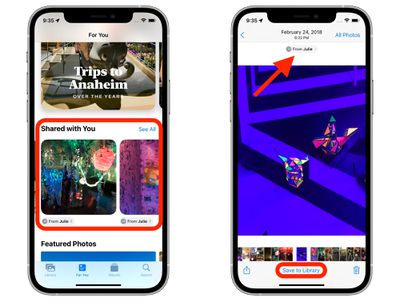
If someone shares a photo or video with you in the Messages app, it will show up in Shared with You in Photos. You can find this new section by selecting the For You tab.
If the photo shared with you was taken when you were present, it will appear in the All Photos view and in the Days, Months, and Years view, as well as in Featured Photos and Memories.
Photos in the Shared With You section can easily be saved to the Photos Library. Simply select the photo and tap Save to Library at the bottom of the screen. You can also respond to a message from the Photos app, simply by tapping the contact name of the person who shared the photo with you.
In iOS 15, there are several new features and improvements in the Photos app that are worth checking out. You can find out more information in our dedicated Photos guide.





















