

Since Safari 17 and macOS Sonoma, Apple's browser has supported favicons in the Favorites bar. Keep reading to learn why favicons can be useful, how to make space for more, and how you can disable them if they aren't for you.

A favicon is a small icon that serves as a kind of badge for a website. Its main purpose is to make it easier to locate the webpage when there are multiple tabs open in a browser.
Favicons can usually be found next to anything in a browser's interface that identifies a website. This can include bookmarks, tabs, history results, and search bars.
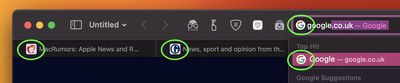
In Safari, if you have the Favorites Bar enabled (View ➝ Show Favorites Bar in Safari's menu bar) the favicon for each site will appear beside its title, allowing you to more easily spot it in the bar.
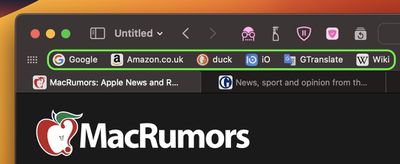
Favicons can certainly be handy, but they can make your browser interface look too busy and cluttered. Another possible issue with the space they take up is that if you have a full row of websites in your Favorites Bar, some of them will be lopped off the viewable area, and you may have to click the double chevron icon at the far right to reveal them.
If this happens in your case, don't worry. It's not obvious, but you can easily prevent favicons from appearing in the Favorites Bar. Simply right-click a space on the bar and check Show Text Only in the pop-up menu.
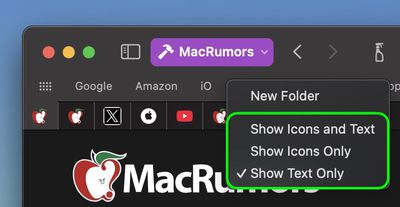
If you should miss them at all, you can easily turn them back on again by selecting Show Icons and Text. Alternatively, if you're a fan of favicons and can identify your favorites at a glance, simply select Show Icons Only. This last option also allows you to pack in more links along the bar.





















Top Rated Comments
The text-only favorite bar it used to have until not very long ago has been the deal-breaker during one of those checks.