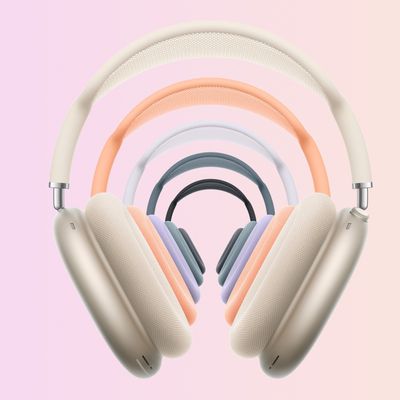
This article explains how to unpair AirPods Max from a number of different Apple devices. If you're sending AirPods Max back to Apple for return or passing them on to someone else, then you'll want to unpair the headphones with your Apple hardware before you part ways with them.
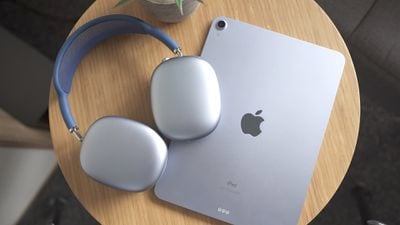
Bear in mind that when you unpair AirPods from an iPhone, Mac, or Apple TV (fourth-generation or later), this also automatically unpairs the wireless earphones from all other devices linked to the same iCloud account, so you won't have to repeat the process on your other devices once you've done so.
How to Unpair AirPods Max From iPhone or iPad
- Launch the Settings app.
- Tap Bluetooth.
- Tap the "i" icon next to the AirPods Max in the Devices list.

- Tap Forget this Device.
- Tap Forget Device in the pop-up message to confirm.
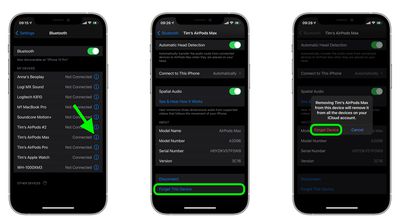
Note that unpairing AirPods Max from your iPhone also unpairs them from your Apple Watch, however you can also individually unpair AirPods Max from Apple Watch without unpairing them from your iPhone.
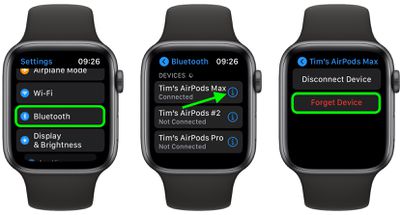
How to Unpair AirPods Max From Apple Watch
- On your Apple Watch, launch the Settings app.
- Tap Bluetooth.
- Tap the "i" icon next to your AirPods Max in the list.
- Tap Forget Device.
How to Unpair AirPods From Mac
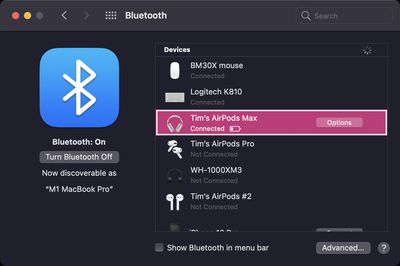
- On your Mac, click the Apple icon in the menu bar and select System Preferences....
- Click the Bluetooth icon in the preference pane.
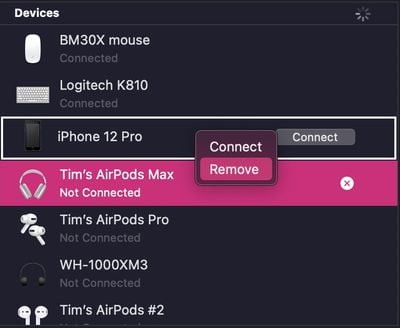
- Right-click (or Ctrl-click) your AirPods Max in the Devices list.
- Click Remove in the contextual menu that appears.
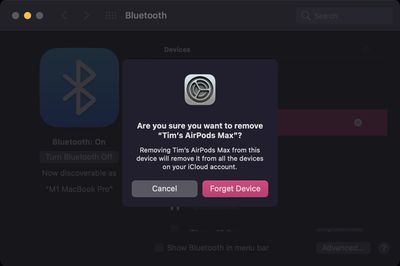
- Click Remove again to confirm.
How to Unpair AirPods From Apple TV
- On your Apple TV, launch the Settings app.
- Select Remotes and Devices -> Bluetooth (or General -> Bluetooth on third-generation Apple TV or earlier models).
- Select your AirPods Max in the Devices list.
- Select Unpair Device.
- Select Unpair Device again to confirm.