

Apple's AirTags are small, button-shaped devices that are designed to be attached to items like keys and wallets to allow these accessories to be tracked using Bluetooth right alongside Apple devices in the Find My app.
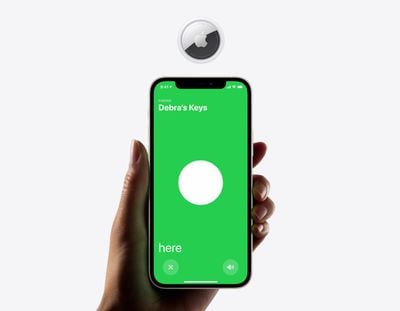
If you've set up an AirTag and attached it to an item, you can track said item in the Find My app, should you misplace it. Find My uses Bluetooth signals from a lost AirTag to relay its location back to its owner. Apart from Bluetooth, however, each AirTag is also equipped with a U1 Ultra Wideband chip, and on devices that also have U1 chips, there's a Precision Finding feature that enables you to more accurately determine the distance and direction of a lost AirTag when it's in range, when compared to Bluetooth alone.
If you're aiming to find a lost item and you have an iPhone 11 or 12, Precision Finding will direct you to the exact location of your lost AirTag using input from the camera, accelerometer, and gyroscope, with guidance provided through sound, haptics, and visual feedback. Here's how to use it.
How to Find the Precise Location of an AirTag
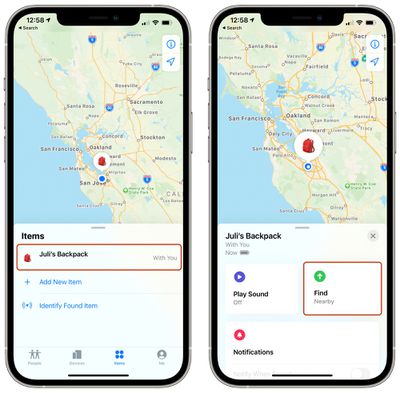
- Launch the Find My app on your iPhone.
- Tap Items.
- Tap the AirTag you want to get the precise location for.

- Tap Find. It should say "Nearby" underneath if the Precision Finding feature is available.
- Now start moving around to locate the AirTag and follow the onscreen instructions. You should see an arrow pointing in the direction of the AirTag, an approximate distance telling you how far away it is, and a note if it's located on a different floor.
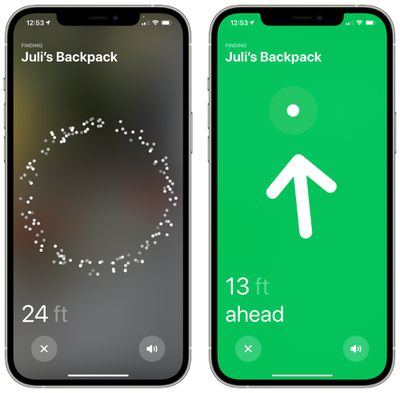
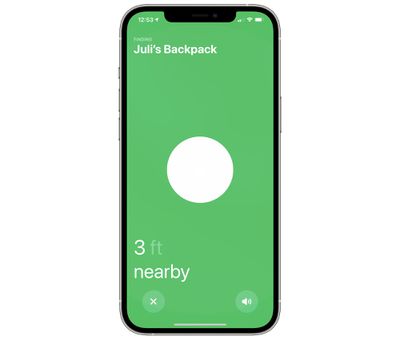
As you approach an item, you'll feel haptic feedback from your phone and there will be audio cues to let you know that you're approaching an item. The AirTag graphic on the iPhone will also shift as you get nearer to it. Precision Finding exits when you've successfully located your AirTag and your iPhone or Apple device is in very close proximity.
Note that Ultra Wideband isn't universally supported worldwide, therefore Precision Finding won't work in some countries. For more details, see our guide on what to know if you plan to travel abroad with AirTags.



















Top Rated Comments