

Signify, the company behind the Philips Hue lights, in September announced a new Philips Hue Play HDMI Sync Box, which brings a capability that many Hue users have wanted for years now: the ability to sync Hue lights with content that's playing on the TV for an immersive home entertainment experience.
There's already a Hue Sync app that lets Hue lights be tuned to Macs and PCs, but it's limited to computers. In the past, there have also been limited run light syncing features for "12 Monkeys" and "Sharknado 2" that were pre-programmed, but before the Hue Play Sync Box, there was no simple solution for on-the-fly syncing of Hue lights to content on a TV set.
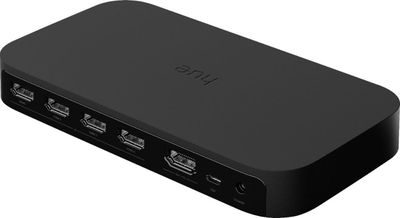
The Hue Play Sync Box is a simple black box that plugs into a TV with an HDMI cable. It has a power port (and an included power supply) along with four HDMI ports that are designed to accommodate HDMI devices like Apple TV, Nintendo Switch, PS4, and more. It's just a black box, and nothing special to look at, because it's meant to be tucked away on an entertainment unit.
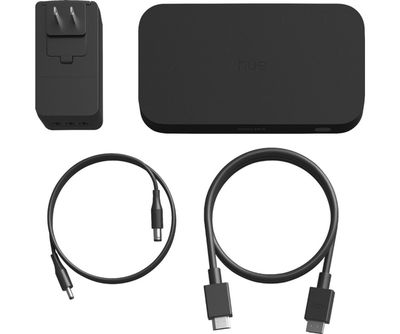
Any console or set-top box can be plugged into the Hue Play Sync Box, allowing it to analyze the colors and tune them to a Hue light setup, shifting colors and brightness to match the content on the TV screen. The box is basically passing video signal to the TV while also detecting the colors.
Setting up the Hue Sync was as simple as plugging it into my TV, plugging my devices into the box, connecting it to my existing Hue Bridge (on a 2.4GHz network) and then downloading and opening up the dedicated Hue Sync app. Using the Hue Sync Box requires a separate Hue Sync app, and it doesn't work with the standard Hue app.
In fact, when the Hue Sync is turned on (which can be done in the Hue Sync app) you're not able to control your lights with the standard Hue app. Though most Hue products show up in HomeKit, the Hue Sync isn't a HomeKit device, it's a standalone option that's just for Hue-branded lights.
Using the Hue Play Sync Box requires an existing Hue light setup (and Hue Bridge) around a television set, and it works best with the Hue Play, the Hue Lightstrip, the Hue Go, and other Hue lights bulbs that are deeply saturated and offer rich colors.
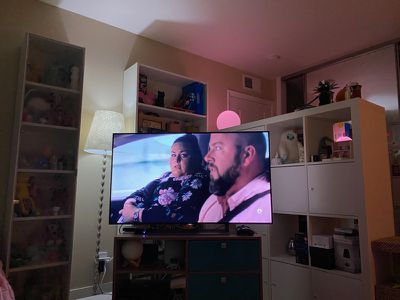
It technically works with any Hue lights, but some of the older bulbs don't have blues and greens that are particularly saturated, which can detract from the setup. Setting up the Hue Sync requires designating an Entertainment Area, which is basically selecting the lights that you want to change in tune with the colors on the TV.
I had mine set with a Hue Lightstrip, a Hue Go, and a few standard Hue bulbs that are located close to the TV in my office, which worked well, though I imagine it would be even better with a Lightstrip and a few of the Hue Play Light Bars.
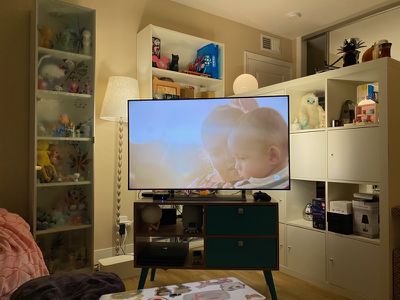
There are three different sync modes for video, music, and games, along with three intensity levels: Subtle, Moderate, High, and Extreme. Subtle and moderate are the smoothest with fewer transitions that are ultimately less distracting. In High and Extreme modes, the colors change rapidly and it can be a bit distracting depending on what you're watching.
In general, I preferred to watch with the settings on Subtle for regular usage because the other settings were just too much shifting between colors. For a few colorful films I did experiment with the High and Extreme modes and it can make a movie more fun, but these aren't settings I'd want to use all the time.
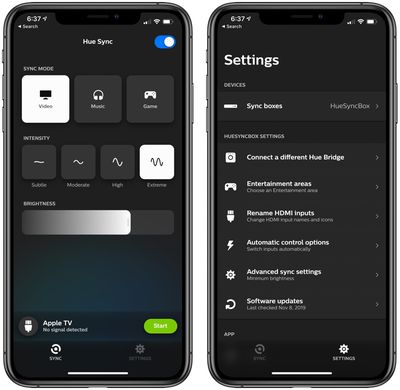
I'm not entirely sure what the difference is between the video, music, and game modes, because there are no clear explanations in the app, but selecting these did tweak the colors somewhat between modes. By the way, using Sync mode requires activation in the app, though there is an option to do it on the box itself if that's closer (mine's behind the TV so the app is easier). There's no automatic activation mode.
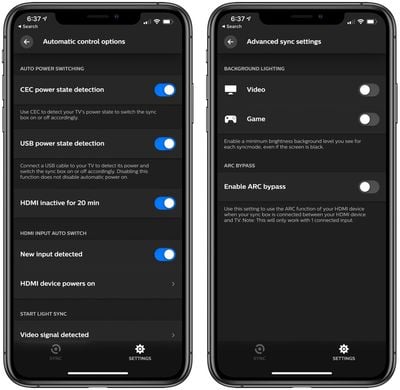
There's an option to set a minimum preferred brightness level and there's an important setting in the "Advanced" section for minimum brightness. To prevent the lights from going off entirely when the screen shows scenes that are black, the minimum brightness setting should be activated to keep a minimum light level. During my testing, I found that there are a surprising number of completely black scenes that cause the lights to go off, which is distracting.
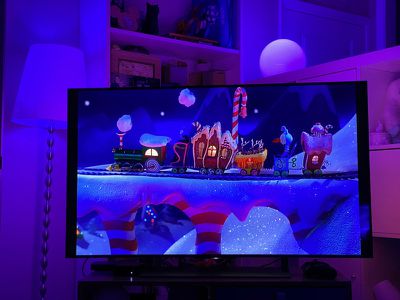
There are also a lot of just plain white/yellow colors in a lot of TV shows, so there are some situations where the Hue lights don't show off a lot of color. It certainly works the best and looks the best with shows and movies that have a lot of different colorful scenes, but the subtle white lighting changes can also make what you're watching more immersive.
I've been testing the Hue Sync for a couple of weeks now, and I haven't noticed much latency if any. My Hue lights change pretty much in the instant that the colors change on the TV screen.
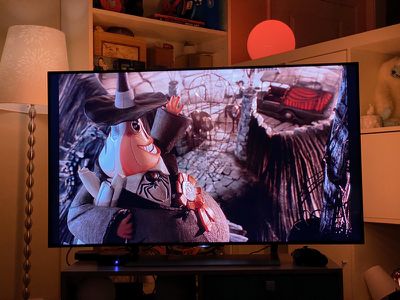
I primarily used it with my Apple TV 4K on a 4K Sony TV, and it worked great. Everything was smooth and seamless, and the colors were detected and shifted regardless of the content that I was watching.
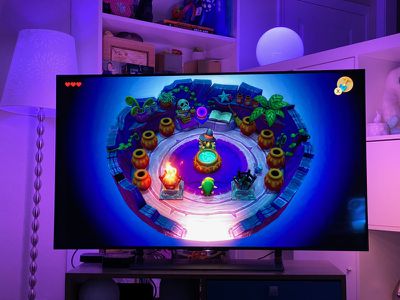
On my Nintendo Switch, the Hue Sync worked well. I tested it with Link's Awakening, and there were some neat video game features like a flash of light whenever I attacked an enemy, along with colors that matched the game environment.
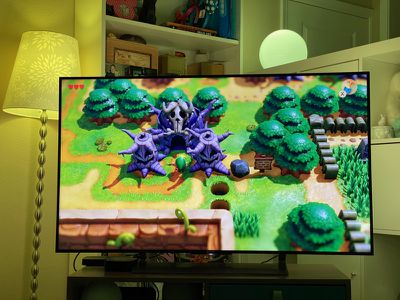
I also tested with my PS4 Pro and had no problems getting the syncing features to work properly. With both my Nintendo Switch and my PS4 Pro, I saw no lag issues with the color changes. As mentioned above, that's with six active lights and a 4K TV (without Dolby Vision).
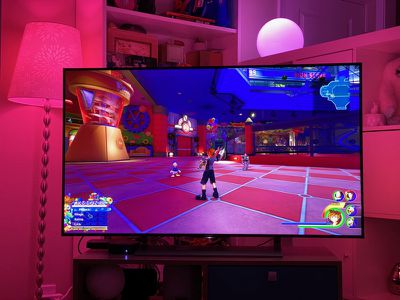
There's an automatic switching feature (activated in settings) that swaps between different HDMI inputs when a console or Apple TV is activated, which worked well for me, but switching via my remote did not work (since everything is technically routed through one of my TV's HDMI ports) so any manual switching between inputs needed to be done through the app.
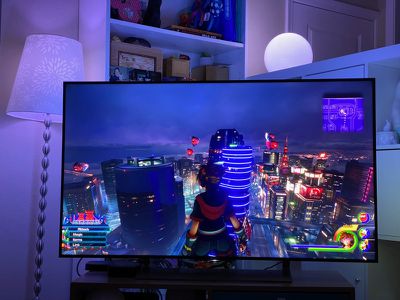
Unfortunately there were a few occasions where the automatic switching feature did not work as expected (mostly with my PlayStation 4) and I had to use the app
Based on multiple reviews of the Hue Play Sync Box, some users with devices routed through sound bars and receivers have had issues (though it's supposed to work), so deeper investigation may be required before purchasing to make sure that it works with your particular setup. It does not work with built-in smart TV apps, so you're going to need an Apple TV, Fire Stick, Roku, or similar, which is something to be aware of. Content must pass through the box to the TV for it to work.
The Hue Sync Play Box supports 4K at 60Hz and HDR 10, but it does not support HDR10+ or Dolby Vision, so if you have a TV that uses HDR10+ or Dolby Vision, this may not be something that you want to invest in. It does support passthrough so you can still watch HDR10+ and Dolby Vision content, but it can't detect them to create the lighting effects.
Bottom Line
The Hue Play Sync Box is expensive and there are some bugs and issues that need to be worked out, but I think that people who have invested in Hue lights for their entertainment systems will enjoy what the box has to offer.
It's unfortunate that it does not work with Dolby Vision and HDR10+ because I suspect there is a good amount of overlap between people who have HDR10+/Dolby Vision capable devices and those who have a Hue setup that would make the Hue Play Sync Box worthwhile, but for those who can work with the limitations, it's a great way to make TV shows, movies, video games, and music more immersive.
Setup was simple for me, but I also have a simple TV setup without a sound bar and other additions, so there could be more complexity involved, and that's something to be aware of before purchasing. On the whole, I think many of those who love Hue lights will be pleased to have this option for content syncing, and I'm hoping some bug fixes and improvements will make the Hue Play Sync Box a more seamless experience in the future.
How to Buy
The Hue Play Sync Box can be purchased from the Hue website or from Best Buy for $229.99.
























Top Rated Comments
I hope this box is successful so that future versions are capable of processing Dolby vision and a lite model with one port is made available. I have a receiver so all those extra ports are of no use to me.