Apple Offering 30-Minute One-on-One Phone Lessons on Editing Images With Photos App

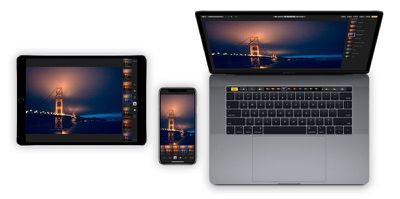
Apple recently started offering customers one-on-one phone-based tutorial sessions with a "Photos expert," allowing them to receive training on using the image editing tools built into the Photos app.

According to a new support document, Apple users in the United States can sign up for a 30 minute session with an Apple Support Advisor that's an expert in "using Photos to transform pictures from good to amazing."
photosappapple
It's not clear how useful these sessions will be for customers as they seem to be conducted over the phone with no visual aid included.

You'll have 30 minutes one-on-one with a Photos expert who'll describe how to edit pictures from your own collection. They'll tailor the session to your skill level and show you how to get the results you want.

The support document instructs customers to update their Macs and iOS devices to the latest versions and call using speakerphone or headphones for hands-free access to editing tools while talking to an advisor.

Apple says that customers will learn about all of the editing tools that Photos offers, from Auto Enhance to detailed color and light adjustments. The lesson will also cover editing Live Photos and images taken in Portrait mode along with tools like cropping, filters, and more.

While phone-based Photos app tutorials appear to be a new offering, Apple has long offered online lessons for new device purchasers.

The Personal Setup feature, for example, lets new device owners get help from Apple in store or online, with Apple support staff helping users find apps, personalize their devices, and discover key features.

On the iPhone, for example, Personal Setup covers details like transferring contacts, setting up email accounts, and using Find My iPhone, plus it includes "handy camera tips" and App Store suggestions.

Apple also hosts many "Today at Apple" training sessions in its online stores on topics like editing videos, getting started with coding, shooting photos on iPhone, photo walks that focus on photography tips, and more.

Apple's new online Photos session appears to be something of an online extension of Today at Apple and the Personal Setup process, with Apple perhaps planning to extend these online tutorials to other topics in the future.


Popular Stories

Apple Wallet ID Illinois

Apple Plans to Expand iPhone Driver's Licenses to These 7 U.S. States

Wednesday December 24, 2025 8:40 am PST by
In select U.S. states, residents can add their driver's license or state ID to the Apple Wallet app on the iPhone and Apple Watch, and then use it to display proof of identity or age at select airports and businesses, and in select apps. The feature is currently available in 13 U.S. states and Puerto Rico, and it is expected to launch in at least seven more in the future. To set up the...

iPhone Top Left Hole Punch Face ID Feature Purple

iPhone 18 Pro Launching Next Year With These 12 New Features

Tuesday December 23, 2025 8:36 am PST by
While the iPhone 18 Pro and iPhone 18 Pro Max are not expected to launch for another nine months, there are already plenty of rumors about the devices. Below, we have recapped 12 features rumored for the iPhone 18 Pro models. The same overall design is expected, with 6.3-inch and 6.9-inch display sizes, and a "plateau" housing three rear cameras Under-screen Face ID Front camera in...
iOS 26

iOS 26.2 Adds These 8 New Features to Your iPhone

Monday December 22, 2025 8:47 am PST by
Earlier this month, Apple released iOS 26.2, following more than a month of beta testing. It is a big update, with many new features and changes for iPhones. iOS 26.2 adds a Liquid Glass slider for the Lock Screen's clock, offline lyrics in Apple Music, and more. Below, we have highlighted a total of eight new features. Liquid Glass Slider on Lock Screen A new slider in the Lock...
maxresdefault

Where's the New Apple TV?

Monday December 22, 2025 11:30 am PST by
Apple hasn't updated the Apple TV 4K since 2022, and 2025 was supposed to be the year that we got a refresh. There were rumors suggesting Apple would release the new Apple TV before the end of 2025, but it looks like that's not going to happen now. Subscribe to the MacRumors YouTube channel for more videos. Bloomberg's Mark Gurman said several times across 2024 and 2025 that Apple would...
maxresdefault

10 Mac Apps Worth Trying in 2026

Wednesday December 24, 2025 9:27 am PST by
2026 is almost upon us, and a new year is a good time to try out some new apps. We've rounded up 10 excellent Mac apps that are worth checking out. Subscribe to the MacRumors YouTube channel for more videos. Alt-Tab (Free) - Alt-Tab brings a Windows-style alt + tab thumbnail preview option to the Mac. You can see a full window preview of open apps and app windows. One Thing (Free) -...
Foldable iPhone 2023 Feature Iridescent Search

Samsung Developing 'Wide Fold' With iPhone Fold-Like Design Ahead of Apple's 2026 Launch

Tuesday December 23, 2025 11:55 am PST by
Samsung is working on a new foldable smartphone that's wider and shorter than the models that it's released before, according to Korean news site ETNews. The "Wide Fold" will compete with Apple's iPhone Fold that's set to launch in September 2026. Samsung's existing Galaxy Z Fold7 display is 6.5 inches when closed, and 8 inches when open, with a 21:9 aspect ratio when folded and a 20:18...
iOS 26

iOS 26.3 Brings AirPods-Like Pairing to Third-Party Devices in EU Under DMA

Monday December 22, 2025 3:20 pm PST by
The European Commission today praised the interoperability changes that Apple is introducing in iOS 26.3, once again crediting the Digital Markets Act (DMA) with bringing "new opportunities" to European users and developers. The Digital Markets Act requires Apple to provide third-party accessories with the same capabilities and access to device features that Apple's own products get. In iOS...
iphone fold 3d print

Have a 3D Printer? You Can Make Your Own iPhone Fold Dummy

Tuesday December 23, 2025 1:31 pm PST by
Apple is working on a foldable iPhone that's set to come out in September 2026, and rumors suggest that it will have a display that's around 5.4 inches when closed and 7.6 inches when open. Exact measurements vary based on rumors, but one 3D designer has created a mockup based on what we've heard so far. On MakerWorld, a user named Subsy has uploaded a 1:1 iPhone Fold replica (via Macworld), ...
iPhone Fold Vertical Feature

Why Apple's Foldable iPhone May Be Smaller Than Expected

Tuesday December 23, 2025 5:21 am PST by
Apple's first foldable iPhone, rumored for release next year, may turn out to be smaller than most people imagine, if a recent report is anything to go by. According to The Information, the outer display on the book-style device will measure just 5.3 inches – that's smaller than the 5.4-inch screen on the ‌iPhone‌ mini, a line Apple discontinued in 2022 due to poor sales. The report has led ...

Top Rated Comments

Pangalactic Avatar
96 months ago
Apple says that customers will learn about all of the editing tools that Photos offers, from Auto Enhance to detailed color
- And now, sir, please press the auto to enhance button
- Done
- Congratulations, you have just mastered auto enhancing! That will be $99.99 for this lesson. Next, we will cover how to automatically adjust exposure using the "automatically adjust exposure" button
Score: 13 Votes (Like | Disagree)
macduke Avatar
96 months ago
I learned by dragging around sliders until I learned what did what. From there it's pretty easy to adjust things until the photo looks better.

The difficult part is taking the photo and where most people should be spending 90% of their time learning to improve. It's far more important to learn how light works before trying to edit a photo. Garbage in, garbage out. Though I'm still amazed at how far you can push a modern RAW. But even the best camera can't save a photo with splotchy light all over someone's face, and exposing properly the first time will make editing MUCH easier.

Most people could also improve their photos massively if they got closer to their subject and zoomed with their feet. Move around a lot when you take photos and try different perspectives and you'll learn a lot faster. Get down on the ground. Climb up somewhere high. Walk around your subject and watch how the various forms created by lines of contrast and curvature interact with elements in the background to create visual movement and interest. Always pay attention to the background when shooting and notice how that changes the photo. Lastly, the single most important thing that most people can do to improve: stop centering your subject in every single photo. Look up the rule of thirds and the golden ratio.
Score: 9 Votes (Like | Disagree)
Ohheyyou Avatar
96 months ago
I have experienced these sessions and they are awesome! They actually will set up a screen sharing session so the “no visuals” is very incorrect. The advisor screenshared and I picked one of my favorite photos to edit with them. It was cool with their arrow darting around and showing me what to try to modify in my photo. Like yes it’s free with a new device that has Apple care
Score: 5 Votes (Like | Disagree)
tobefirst ⚽️ Avatar
96 months ago
When I got my Apple Watch last fall, they offered me a one-on-one training over the phone. It did also consist of a visual component through an online portal of some kind where I could see the Apple rep's watch. Worked pretty well. It sort of sounds like this would be similar?
Score: 4 Votes (Like | Disagree)
neonart Avatar
96 months ago
Whoohoo. :rolleyes: Still using Aperture. Hopelessly hoping Photos gets a pro update to match the simplicity and power Aperture had (has).
Score: 3 Votes (Like | Disagree)
danpass Avatar
96 months ago
The Photos app from the iOS 6 era was the best
Score: 2 Votes (Like | Disagree)