

Most Mac users know how to take standard screenshots on their Mac, but not many MacBook Pro owners will know how to take screenshots of the Touch Bar that runs along the top of the keyboard on some models.
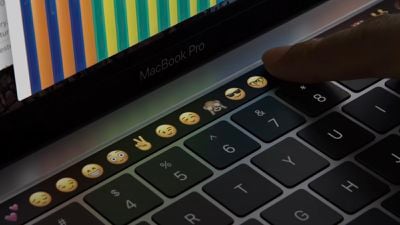
Why would you want to take a screen grab of your Mac's Touch Bar? Perhaps you've customized its layout using System Settings -> Keyboard -> Touch Bar Settings... and want to share it with someone or use the same layout on another Mac. Or maybe you have a Touch Bar game installed that you want to take pictures of. Either way, here's how it's done.
The keyboard shortcut for taking a screenshot of the Touch Bar is closely associated with the other shortcuts for taking standard screenshots. Simply press Command-Shift-6 and an image of the current state of the Touch Bar will be saved to your desktop.
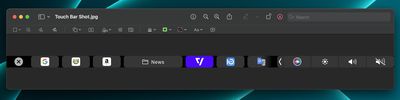
Bear in mind that the screenshot may look unusually thin and wide, but that's because the Touch Bar's resolution is 2170x60 pixels. If you want, you could always crop it using the Preview app's image editing tools.





















